One panel for every Pocketalk
A secure, centralized administrative panel for all the Pocketalk translation devices in an organization: usage at a glance, remote setup by group, and Lost Mode when a device goes missing.
Visit Pocketalk VentanaTotal Devices Registered
60Total Translations
2,690Average TranslationPer Device (Selected Period)
123Number of Translations
Languages Used for Translation From
- English(US)1,276
- Japanese249
- Spanish(Spain)222
- Bengali146
- Others797
Languages Used for Translation To
- English(US)562
- Spanish(Spain)550
- Japanese311
- Bengali188
- Others1,079
Remote Setting Status
Lost Mode Devices
No Lost DevicesSIM Expired
29 Devices01.Overview
Translators in every hand, one panel behind them
Project highlight
A flagship Japanese project at BJIT
Pocketalk Ventana was designed at BJIT for Pocketalk Corporation in Japan, and it became one of my most successful projects there. I led the UX and UI from the first structure to the final screens: dashboard, device management, remote setup, Lost Mode, reports and user roles.
- JapanClient
- Lead UXMy role
- EnterpriseOrganizations of every size
Welcome tothe conversation
Pocketalk is a pocket-sized voice translator. Schools, city offices and businesses hand them to staff so they can talk with anyone, in their language.
Once an organization owns dozens or hundreds of devices, someone has to look after them. Pocketalk Ventana is where that happens: one secure web panel to see usage, organize devices into groups, push settings and protect data.

The device and the panel
Each Pocketalk is a small, dedicated translator with an embedded SIM. Ventana is the web panel behind them: the same dashboard an admin opens to see every device, every group and every translation.

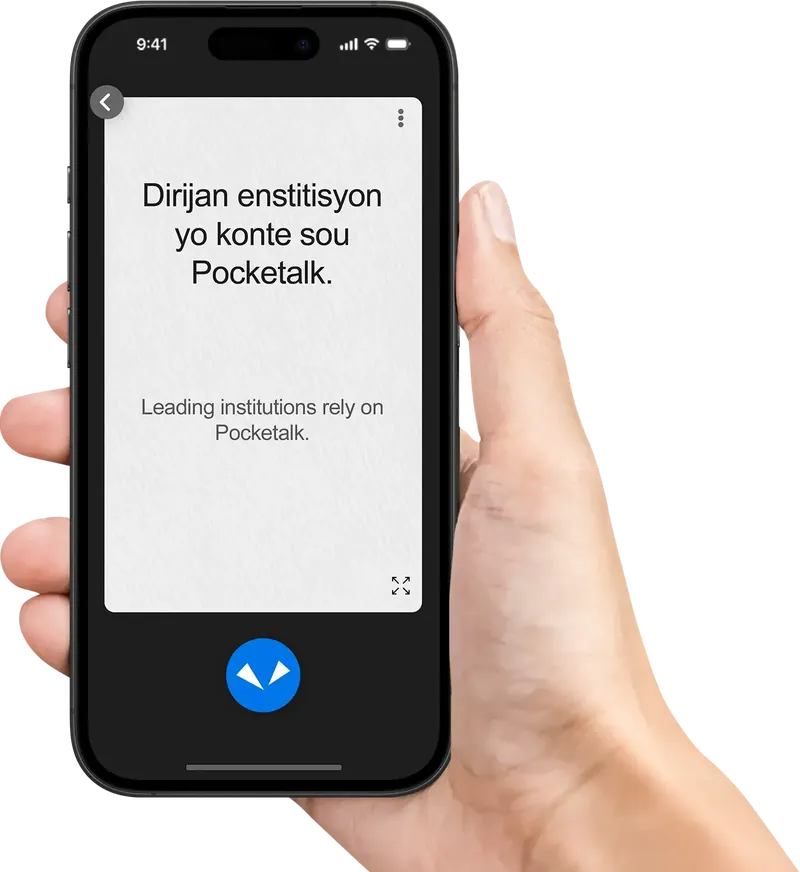
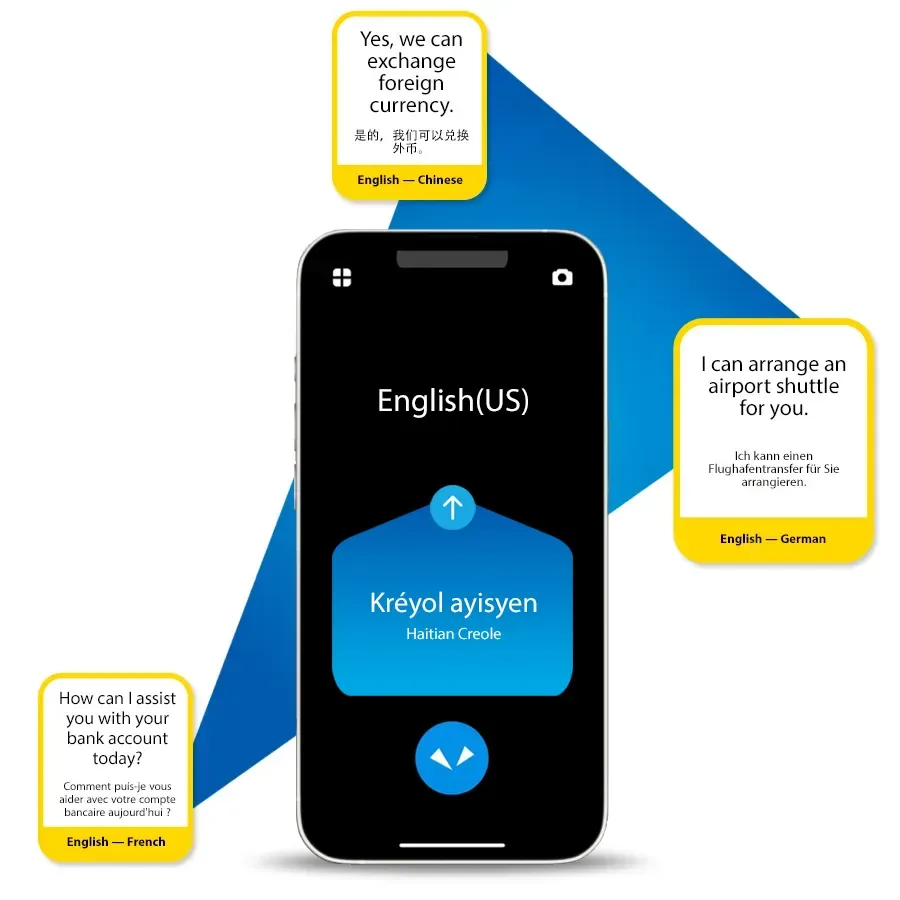
Everyday front-desk conversations: a bank account, a currency exchange, an airport shuttle. Each one becomes a line in Ventana’s usage reports.
02.Challenge
Many devices, no single place to manage them
Without a central panel, every translator has to be handled on its own. Ventana turns that into three clear jobs an admin can finish in minutes.
- 01See
How many devices are in use, how much they translate and in which languages, without opening each one.
- 02Set up
Apply PIN codes, auto-lock, feature limits and Wi-Fi to a whole group at once, instead of device by device.
- 03Protect
Lock a missing device with Lost Mode, or reset it, before anyone can read its translation history.
03.Structure
Three sections, one blue sidebar
Everything an admin needs lives under three sections, with account settings one level away. The sidebar stays the same on every page, and the yellow highlight always shows where you are.
- Usage over time
- Languages from and to
- Remote setting, Lost Mode and SIM status
- Devices: list and device details
- Groups: group details and remote settings
- Times Translated
- Translation From
- Translation To
- Export Log Data
- Users and roles
- Security
04.Dashboard
The whole fleet, on one screen
The dashboard answers the first question every admin has: is everything all right? Numbers first, then trends, then anything that needs attention.
Total Devices Registered
60Total Translations
2,690Average TranslationPer Device (Selected Period)
123Number of Translations
Languages Used for Translation From
- English(US)1,276
- Japanese249
- Spanish(Spain)222
- Bengali146
- Others797
Languages Used for Translation To
- English(US)562
- Spanish(Spain)550
- Japanese311
- Bengali188
- Others1,079
Remote Setting Status
Lost Mode Devices
No Lost DevicesSIM Expired
29 Devices- Period tabsAll, this or previous week, month or year. Every card on the page follows the same period.
- Three key numbersDevices registered, total translations and the average per device, each on its own soft colour.
- Number of TranslationsA daily line chart that shows busy days and quiet ones at a glance.
- LanguagesTwo donuts show the top languages translated from and to, with Others grouped together.
- Status rowRemote setting status, lost devices and expired SIMs, each with a clear icon and a colour that says if action is needed.
05.Device Manager
From the list to a single device
Device list
Every device with its group, IMEI, name, model, feature limit and status. Search works across device name, model and IMEI, and the group filter narrows a long list in one step.
Export Data sits in the same place on every list, top right.
Home/Device Manager
Devices
Device List (49)
| Group Name | IMEI (Embedded SIM) | Device Name | Device Model | Feature Limit | Status |
|---|---|---|---|---|---|
| (Ungrouped) | S2P | Pocketalk S2 Plus | None | Up to date | |
| Example 01 | Device 01 | Pocketalk S | Business | Up to date | |
| Example 01 | Device 02 | Pocketalk S Plus | None | Up to date | |
| Example 01 | Device 03 | Pocketalk S Plus | None | Up to date | |
| Example 01 | Device 04 | Pocketalk S | Business | Pending | |
| Example 01 | Device 05 | Pocketalk S | None | Up to date |
Device details
The left card holds facts that rarely change: IMEI, name, model, SIM expiry, last use, group and software version. The right card holds the controls: feature limit, update status, Lost Mode, factory reset and whether history is saved on the device.
Below, the device’s translation history can be searched, filtered by date and exported.
Home/Device Manager/Devices
Device Details
- IMEI (Embedded SIM)
- Device Name
- Device 06
- Product Model
- Pocketalk S2 Plus
- SIM Expiration Date
- Infinite
- Date Last Used
- 2024/10/10 05:31
- Group Name
- Example 01
- Software ver.
- 0.0.26
- Feature Limit
- None
- Status
- Up to date
- Lost Mode
- OFF2025/01/01 04:31
- Factory Reset
- Reset Now
- Save translation history on this device
- ON
Translation History List (12)
| Time of Translation (UTC) | Text Translated From | Text Translating To | Translation From | Translation To |
|---|---|---|---|---|
| 2024/10/10 05:31 | 今天天气很好。 | Погода сегодня ... | Chinese_Simplified | Russian |
| 2024/10/10 05:29 | 今年のメジャーリ... | La Major League ... | Japanese | French(France) |
| 2024/10/10 05:28 | This device can tr... | Este dispositivo p... | English(US) | Spanish(Spain) |
| 2024/10/10 05:27 | Excuse me. Wher... | すみません。最寄... | English(US) | Japanese |
| 2024/10/10 05:20 | Good morning, how ... | শুভ সকাল, কেমন ... | English(US) | Bengali |
06.Groups & remote setup
Set it once, for the whole group
Groups are how one admin handles hundreds of devices. Each group carries its own remote settings, and the group list shows their state with three small icons: green when set, grey when not.
- Data protectionPIN code, auto-lock and translation history rules
- Feature limitBusiness mode and what users may change
- Wi-FiNetworks pushed to every device in the group
Home/Device Manager
Groups
Group List (18)
| Group Name | No. of Users | No. of Devices | Status of Remote Settings | Last Updated |
|---|---|---|---|---|
| (Ungrouped) | 32 | 16 | Oct 10, 2024 | |
| Example 01 | 28 | 8 | Oct 10, 2024 | |
| Example 02 | 28 | 3 | Oct 10, 2024 | |
| Example 03 | 28 | 3 | Oct 10, 2024 | |
| Example 04 | 28 | 4 | Oct 10, 2024 | |
| Example 05 | 28 | 0 | Oct 10, 2024 |
Remote Device Setup
One dialog, three blocks, in the order admins think about them: protect the data, limit the features, connect to Wi-Fi. Saving sends the settings to every device in the group.
A 6-digit PIN, an auto-lock time from a short list, and toggles that decide whether users may change mobile or Wi-Fi settings themselves.
Data Protection
Feature Limit ?
Wi-Fi Settings+ Add New Wi-Fi
07.Lost Mode
When a device goes missing
Lock it from anywhere
Turning Lost Mode on reveals a PIN field right next to the switch. The device locks until someone enters that 6-digit PIN, so its translation history stays private.
Factory Reset is set in red and kept apart from everyday settings, because it can’t be undone. Try the switch.
- Feature Limit
- None
- Status
- Up to date
- Lost Mode
- Lost Mode PIN
- • • • • • •Must have 6 digits
- Factory Reset
- Reset Now
08.Reports
Usage you can take to a meeting
Four reports cover how the devices are used: Times Translated, Translation From, Translation To and Export Log Data. Each uses the same toolbar: search, date range, a day, month or year view, and export.
Home/Reports
Times Translated
Times Translated List (6)
| IMEI (Embedded SIM) | Device Name | Group Name | Product Model | Times translated |
|---|---|---|---|---|
| Device 03 | (Ungrouped) | Pocketalk S Plus | 64 | |
| Device 05 | Example 01 | Pocketalk S | 57 | |
| Device 04 | Example 02 | Pocketalk S Plus | 11 | |
| Device 02 | Example 03 | Pocketalk W | 6 | |
| Device 01 | Example 04 | Pocketalk S Plus | 5 |
09.Users & roles
The right access for each person
Admins invite people by email and give each one a role and a group. Status pills show who has registered, who is invited and who is still pending.
- AdminFull access, including users and security settings.
- EditorManages devices, groups and remote settings.
- Viewer/HistoryRead-only, with access to translation history.
- Viewer/LogRead-only, with access to log data.
Home
Users
Total Users (39)
| Username | Email Address | Group Name | Role | Date Added | Status |
|---|---|---|---|---|---|
| All | Admin | Jan 23, 2023 | Registered | ||
| All | Admin | Jul 14, 2023 | Registered | ||
| - | Admin | Aug 24, 2023 | Invited | ||
| (Ungrouped) | Editor | Feb 13, 2024 | Pending | ||
| (Ungrouped) | Viewer/History | Feb 13, 2024 | Registered | ||
| (Ungrouped) | Viewer/Log | Feb 14, 2024 | Registered |
10.Onboarding
The first step happens in the inbox
Set a password
New users get a short, branded email with a single link to set their password. The link is valid for five days, and the email says so, so nobody is surprised when it expires.
Set a password for your Pocketalk Ventana account
Thank you for signing up for Pocketalk Ventana.
Please follow the link below to set a password for your Pocketalk Ventana account. The link below is valid for 5 days.
Set your password
If you have any questions, please contact our customer service team.
Best Regards,
Pocketalk Corporation
11.Design system
Pocketalk blue, with a touch of yellow
Ventana borrows Pocketalk’s brand colours and keeps everything else calm, so the data stays the loudest thing on the page.
- Sidebar blue#2BA3E3 · Navigation
- Action blue#1E9BE6 · Buttons and links
- Pocketalk yellow#FFD52E · Where you are
- Green#1DB250 · Up to date, set
- Amber#F5A623 · Partially set, pending
- Red#E53935 · Reset, alerts

Pocketalk Ventana, every translator in one calm place.
Pocketalk VentanaProduct page on pocketalk.com
Visit pocketalk.comNext project