S&S is a leading wholesale distributor of blank apparel, headwear and accessories in the United States and Canada. I designed its distributor platform, where promotional product distributors find products, see their client’s logo on every item and turn a proposal into samples and purchase orders.
S&S customers rarely buy a T-shirt for themselves. Promotional product distributors buy blanks to sell a branded version to someone else. SourceEazy built a distributor platform for S&S around that real job, and I designed it end to end for three people who meet in one flow.
Distributor
Finds products, applies the client’s logo and sends a branded storyboard.
End client
Opens the proposal, picks samples and adds styles to a purchase order.
Admin
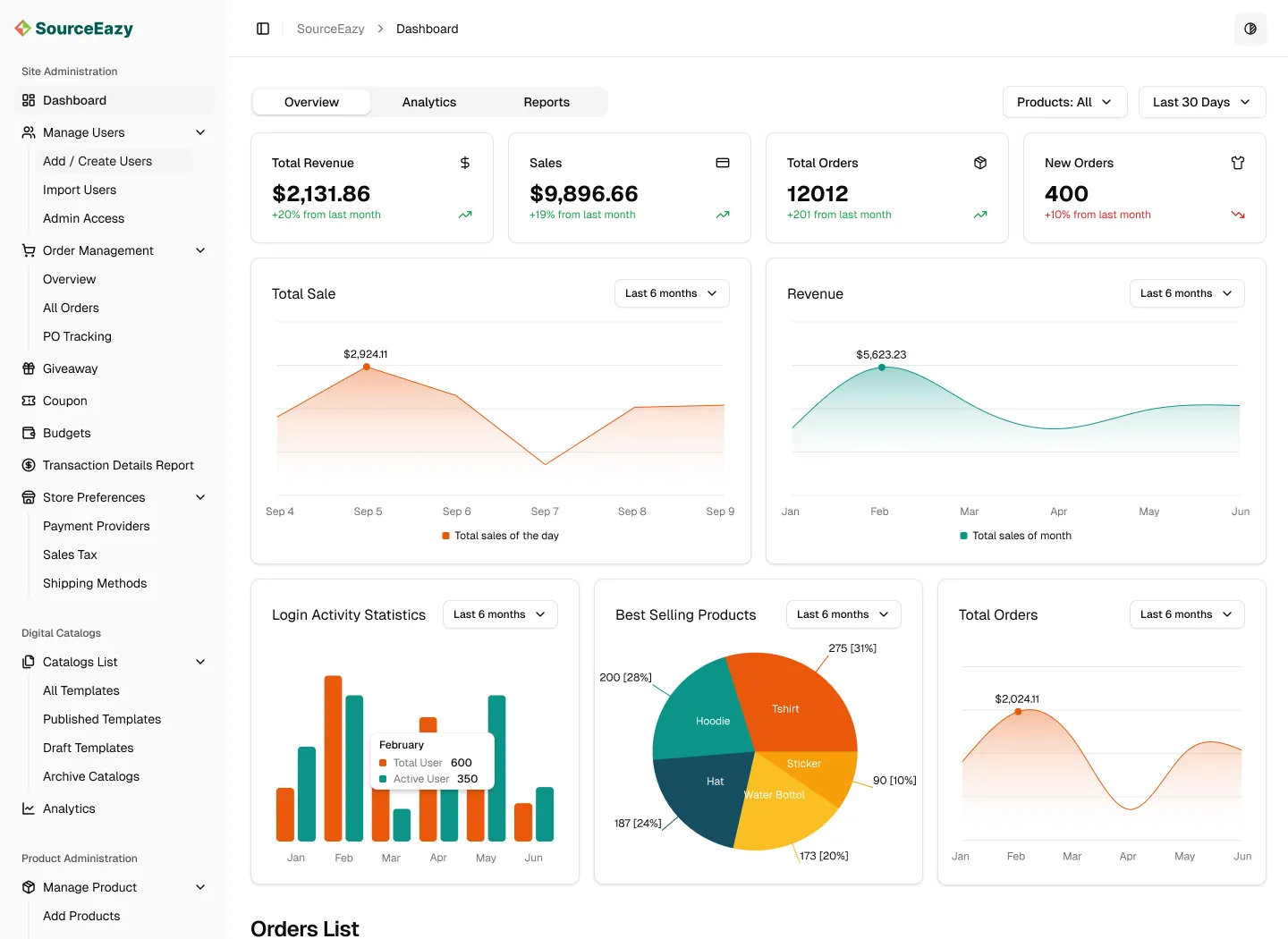
Manages orders, users, decoration settings and catalogues in one dashboard.
02.Challenge
Selling a branded productbefore it exists
01Too much to search
Thousands of styles, colours and brands. Distributors knew the need, not the product code.
02Hard to imagine
End clients couldn’t picture their logo on a blank hoodie, so proposals stalled.
03Too many hand-offs
Samples and POs moved through emails, PDFs and spreadsheets, and details got lost.
03.Journey
One flow,no retyping
Each step hands its work to the next. A product, a logo or an address is entered once and carried all the way to the purchase order.
1DiscoverAI search and filters
2PersonalizeOne logo, every product
3StoryboardA branded proposal
4SendShared by email
5RequestSamples and PO lines
6ManageOne dashboard
04.Storefront
Search like you talk,see the logo everywhere
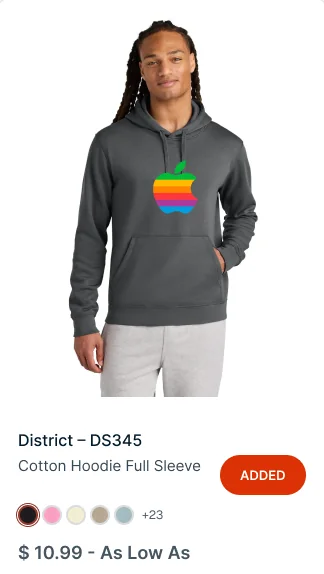
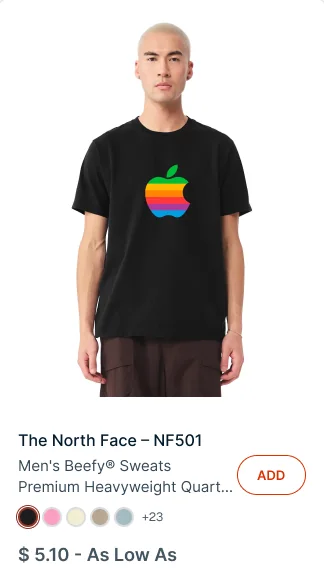
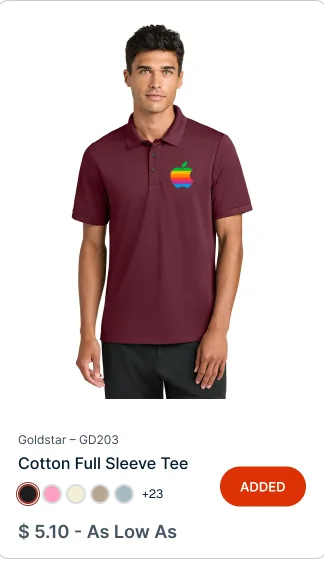
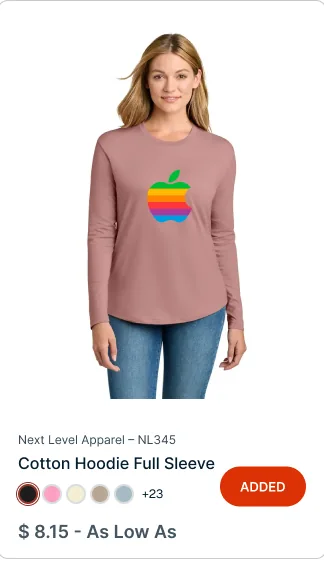
The storefront opens with a plain-language AI search and ready-made lookbooks. One logo upload then turns the whole catalogue into virtual samples.
ssactivewear.sourceeazy.com
AI Search
1AI searchPlain questions like “swag ideas for a Tradeshow”.
2Personalizable AssetsLookbooks, one click from a branded version.
3Get Virtuals in SecondsChange the logo once, update every product.
Tune the logo once, and every product card wears it.
05.Product & order
Decorate, size,and check out
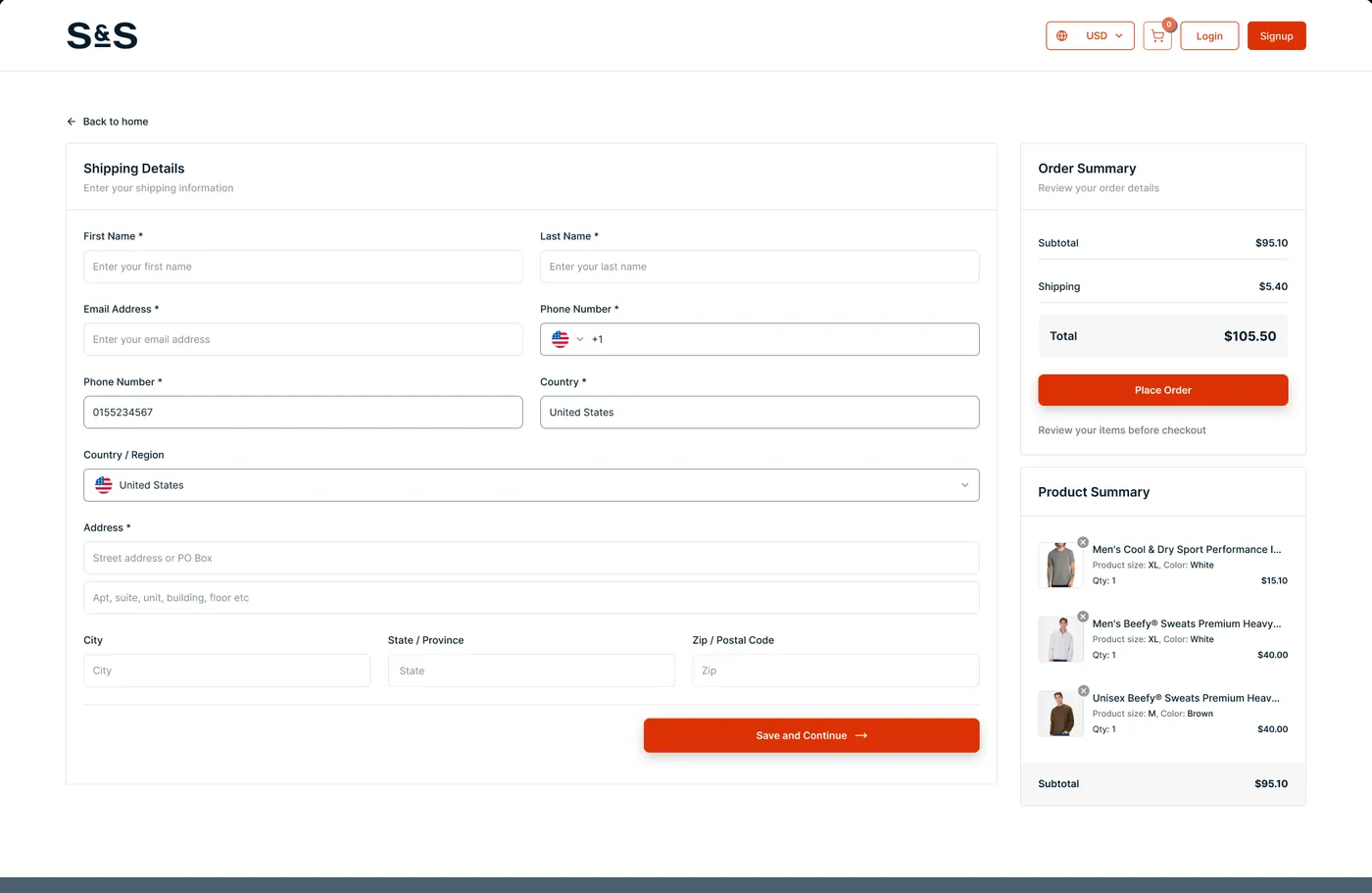
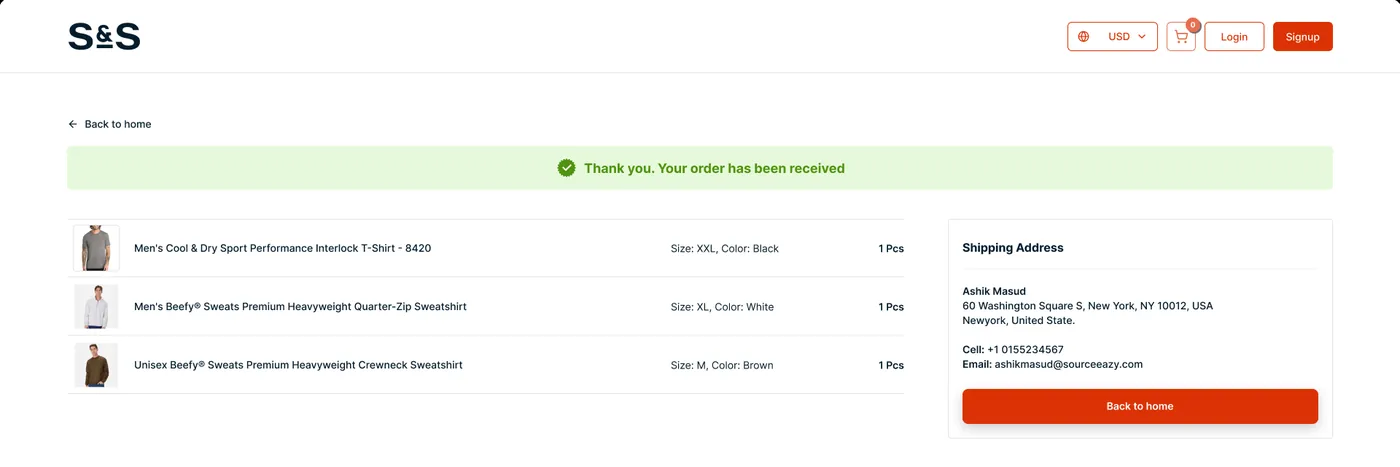
Product pages put decoration first, take a design for every placement and collect all sizes at once. Checkout keeps the order summary in view the whole time.
ssactivewear.sourceeazy.com
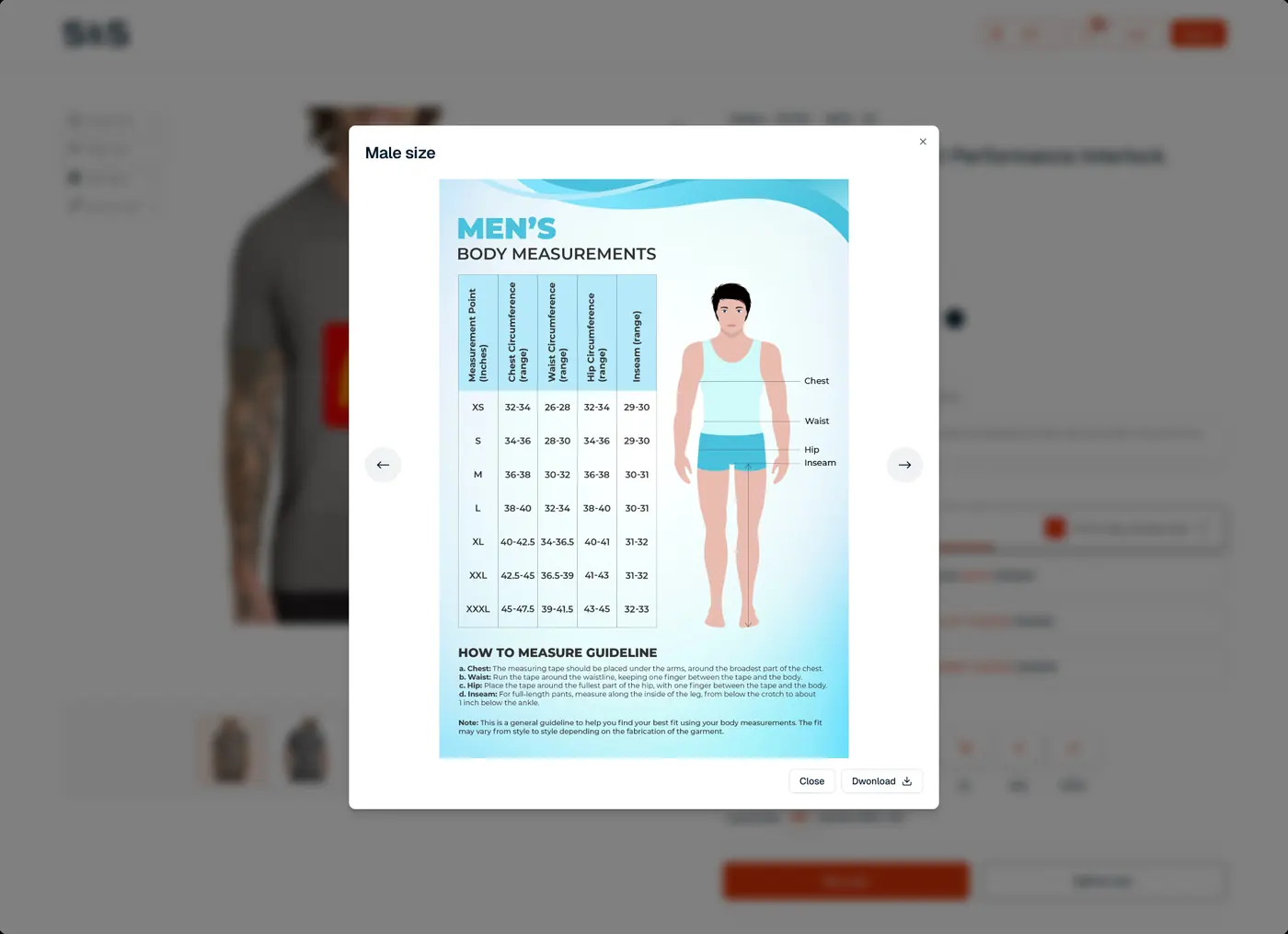
1Decoration firstScreen print, embroidery or DTF.
2A design per placementFront, back and both sleeves.
3Sizes as a gridEvery size at once, with the MOQ up front.
ssactivewear.sourceeazy.com
06.Storyboard
A proposal thatsells for you
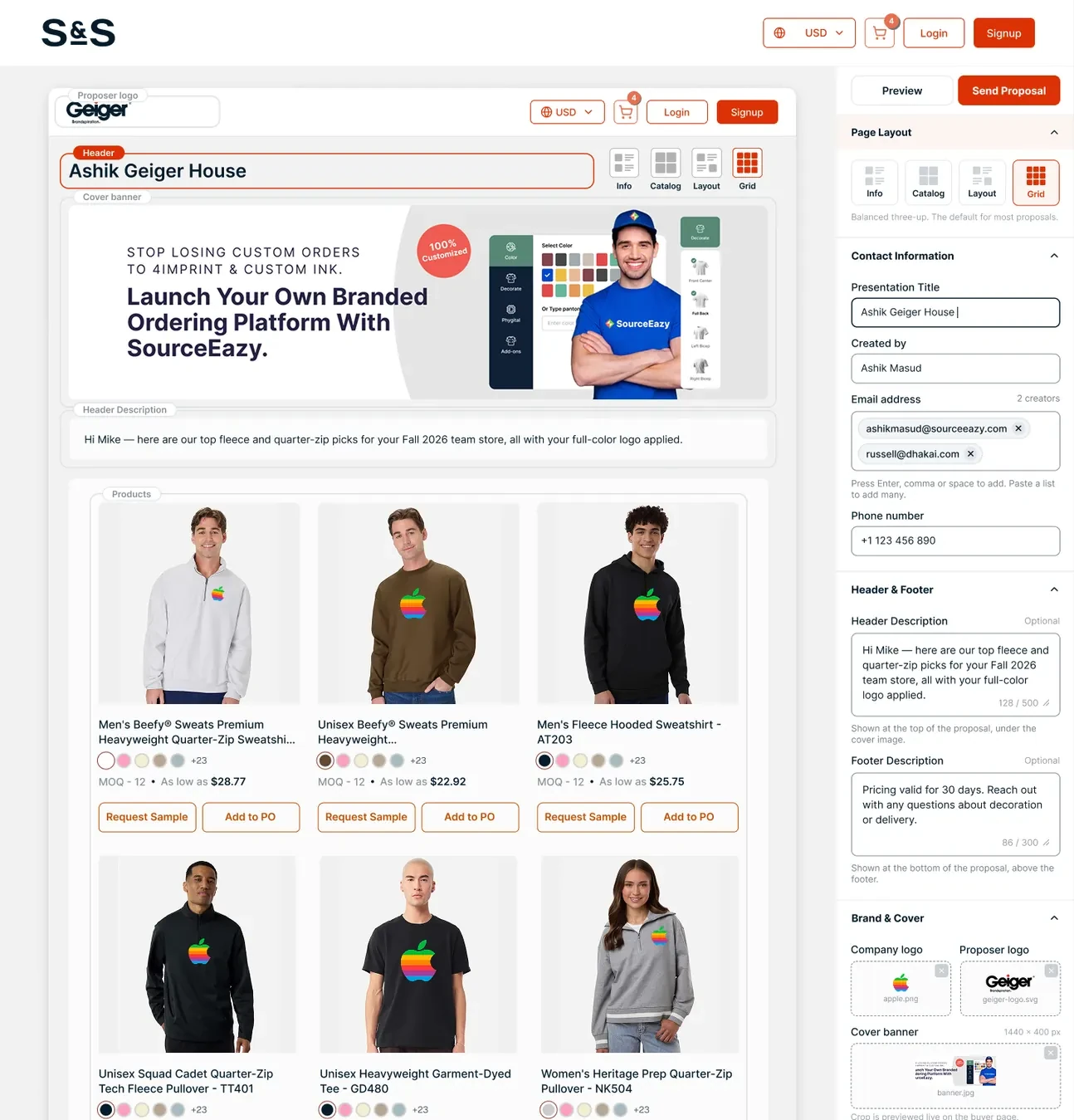
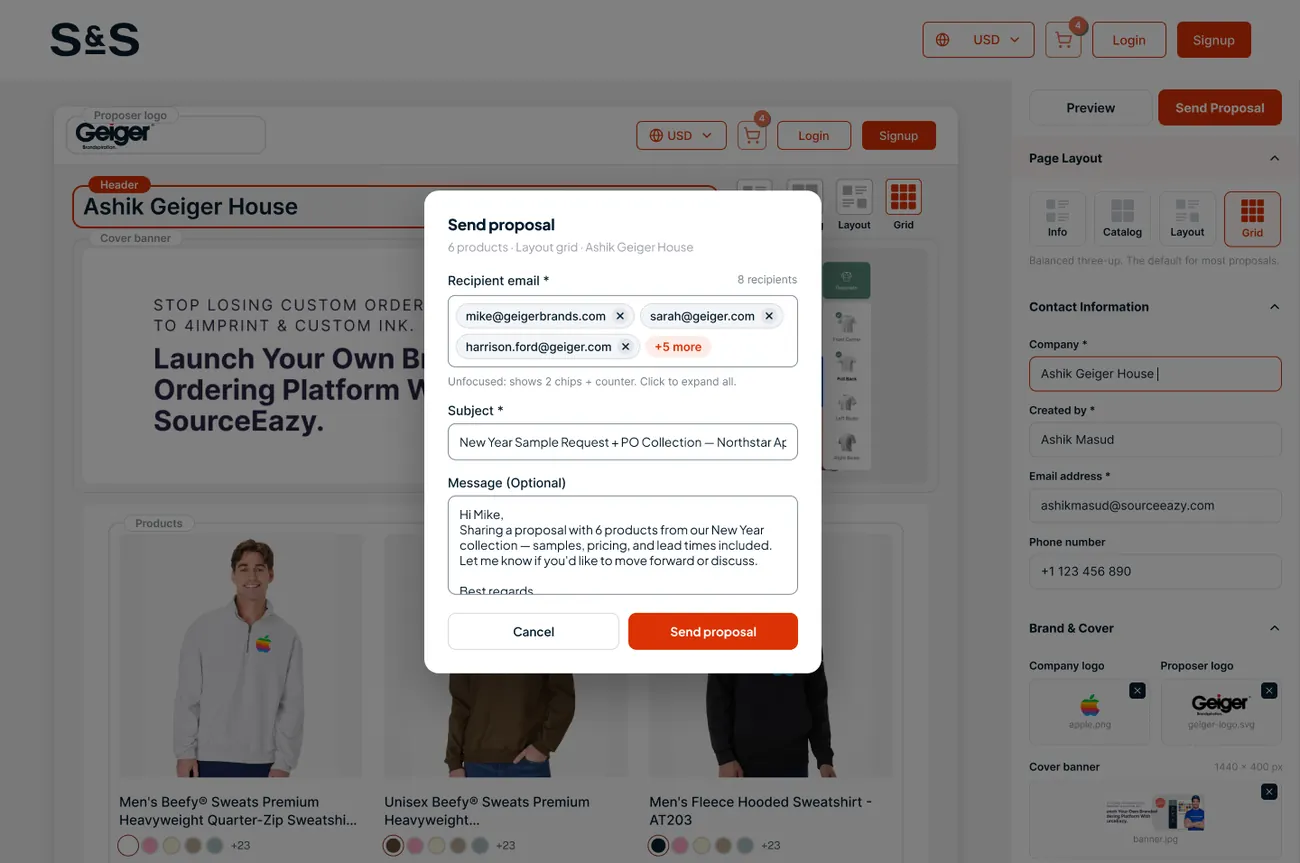
Distributors curate products for one end client, add their own logo, a cover banner and a note, and pick a layout. Every product already wears the client’s logo, so the first draft looks finished.
ssactivewear.sourceeazy.com
1Branded headerThe distributor’s logo and the client’s name.
2Four layoutsInfo, Catalog, Layout and Grid.
3Smart recipientsChips with suggestions and inline validation.
ssactivewear.sourceeazy.com
07.Sample & PO
The client says yes,inside the proposal
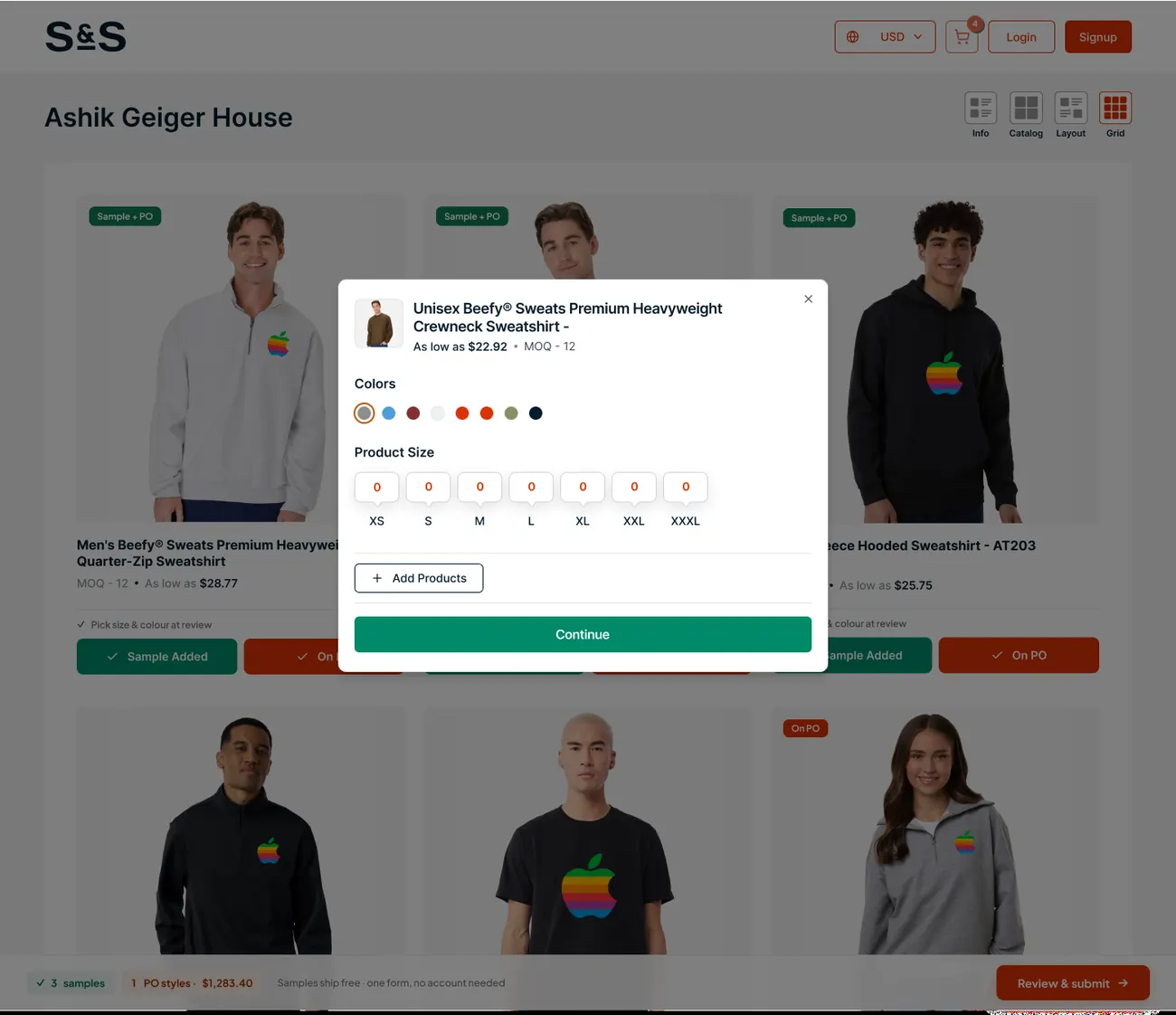
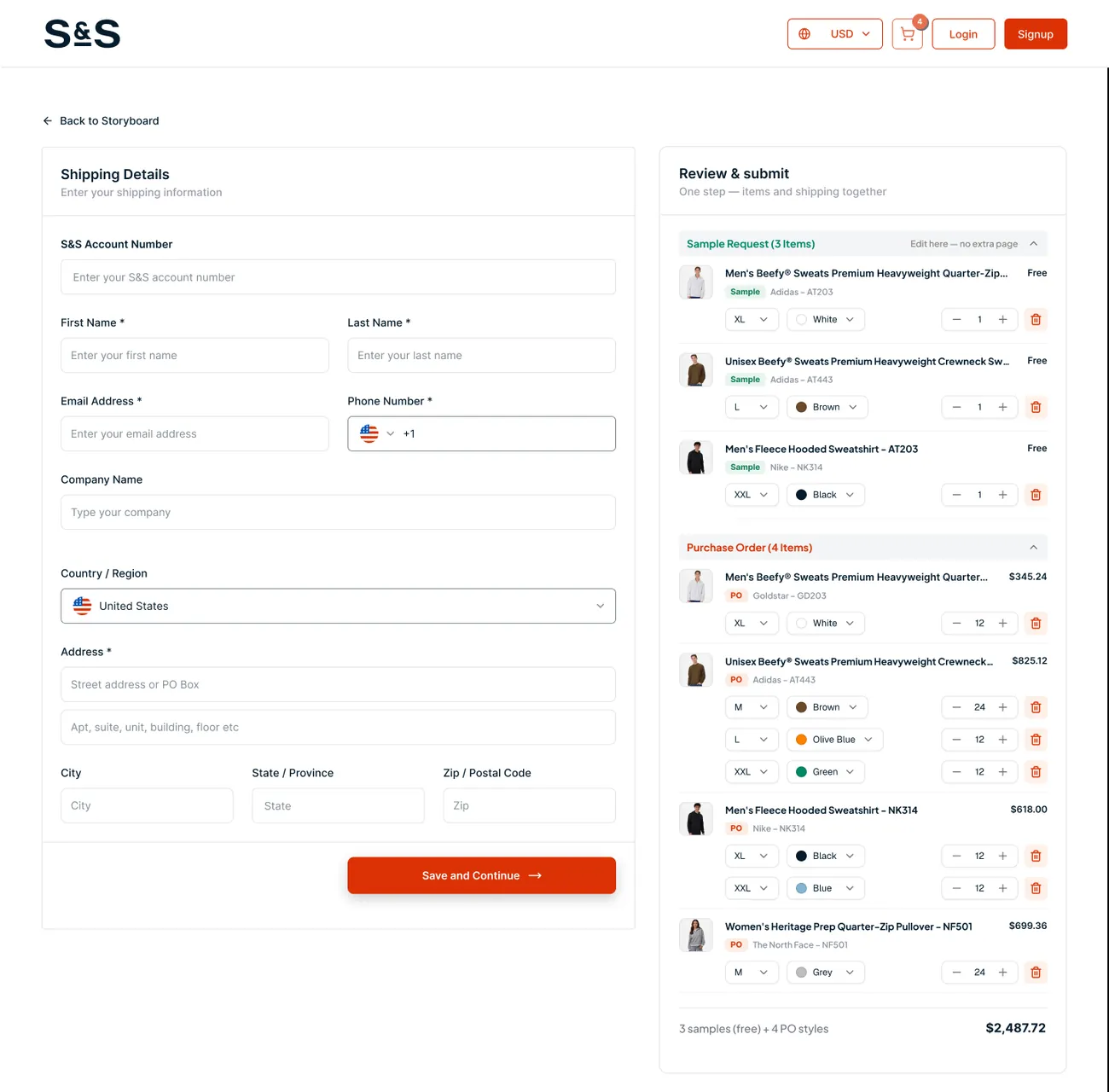
The end client opens the storyboard and acts on it directly: request a sample, add a style to a purchase order, review and submit. Everyone then works from the same numbers.
ssactivewear.sourceeazy.com
1Sample or POTwo clear actions on every product.
2Colours and sizesOne focused modal per style.
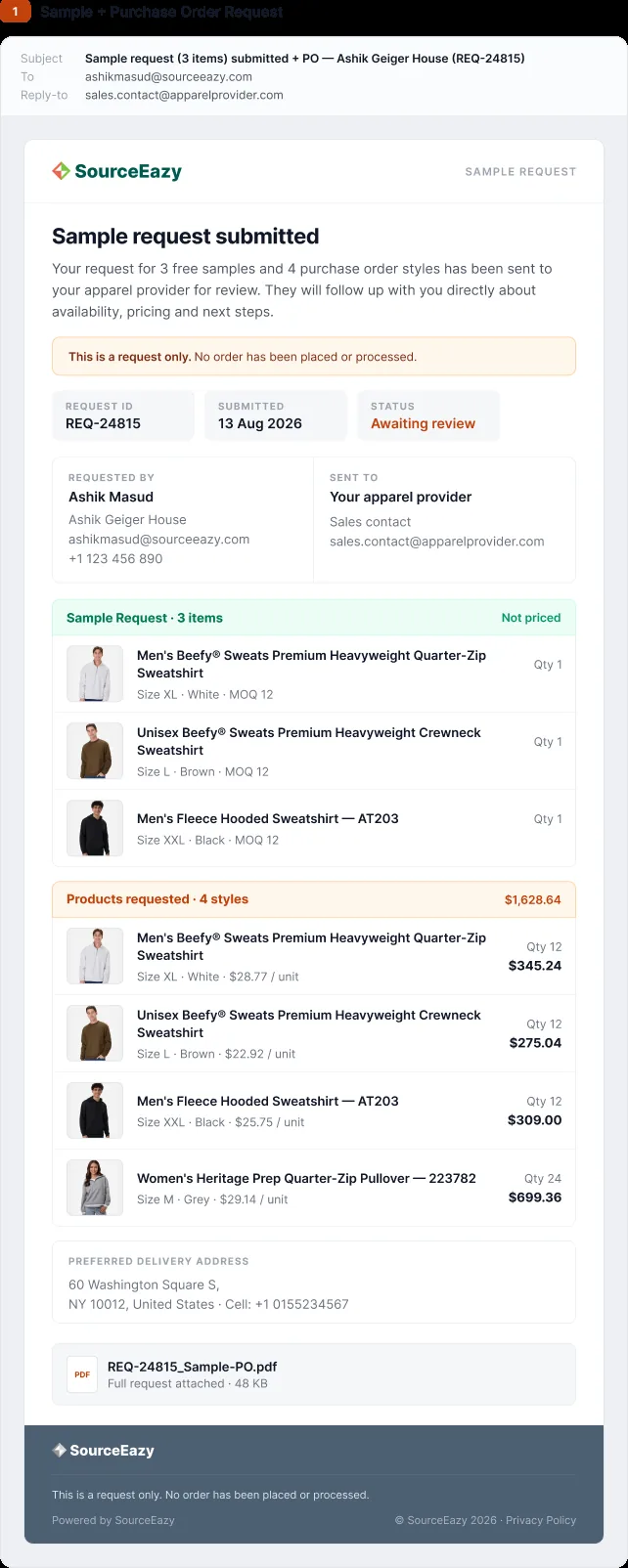
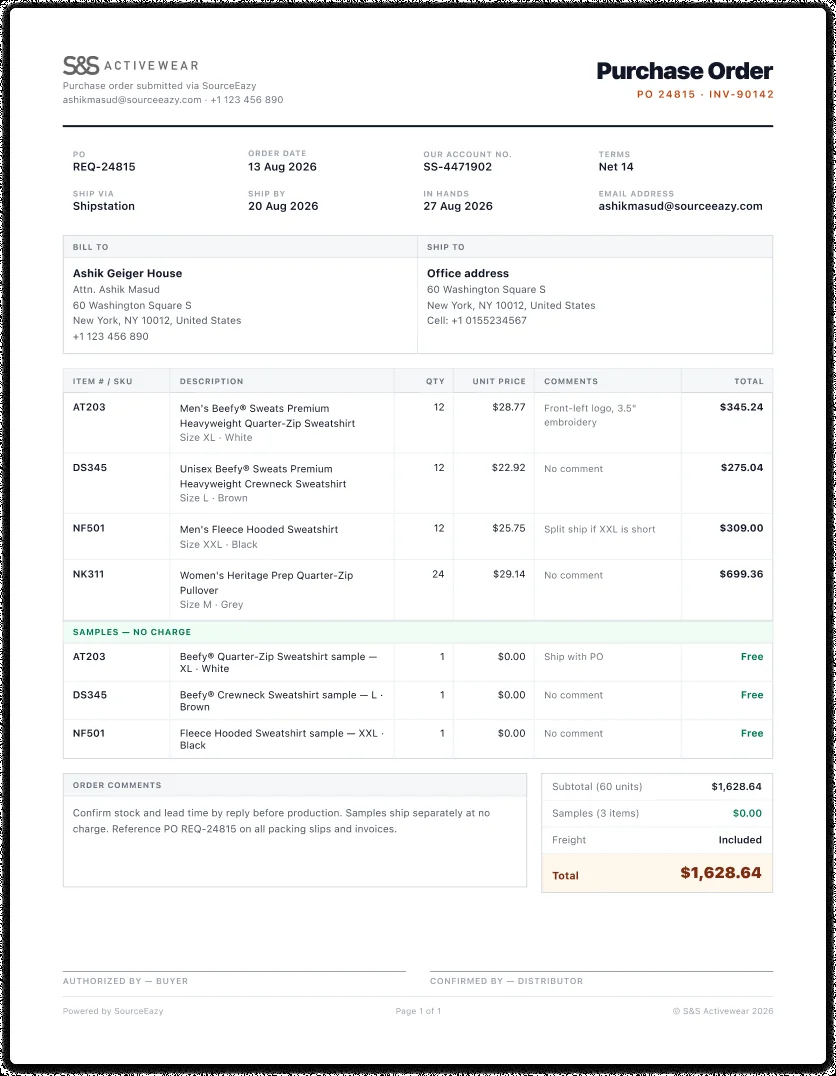
3Paper trailEmails and a PO document for both sides.
ssactivewear.sourceeazy.com
08.Dashboard
One place torun the business
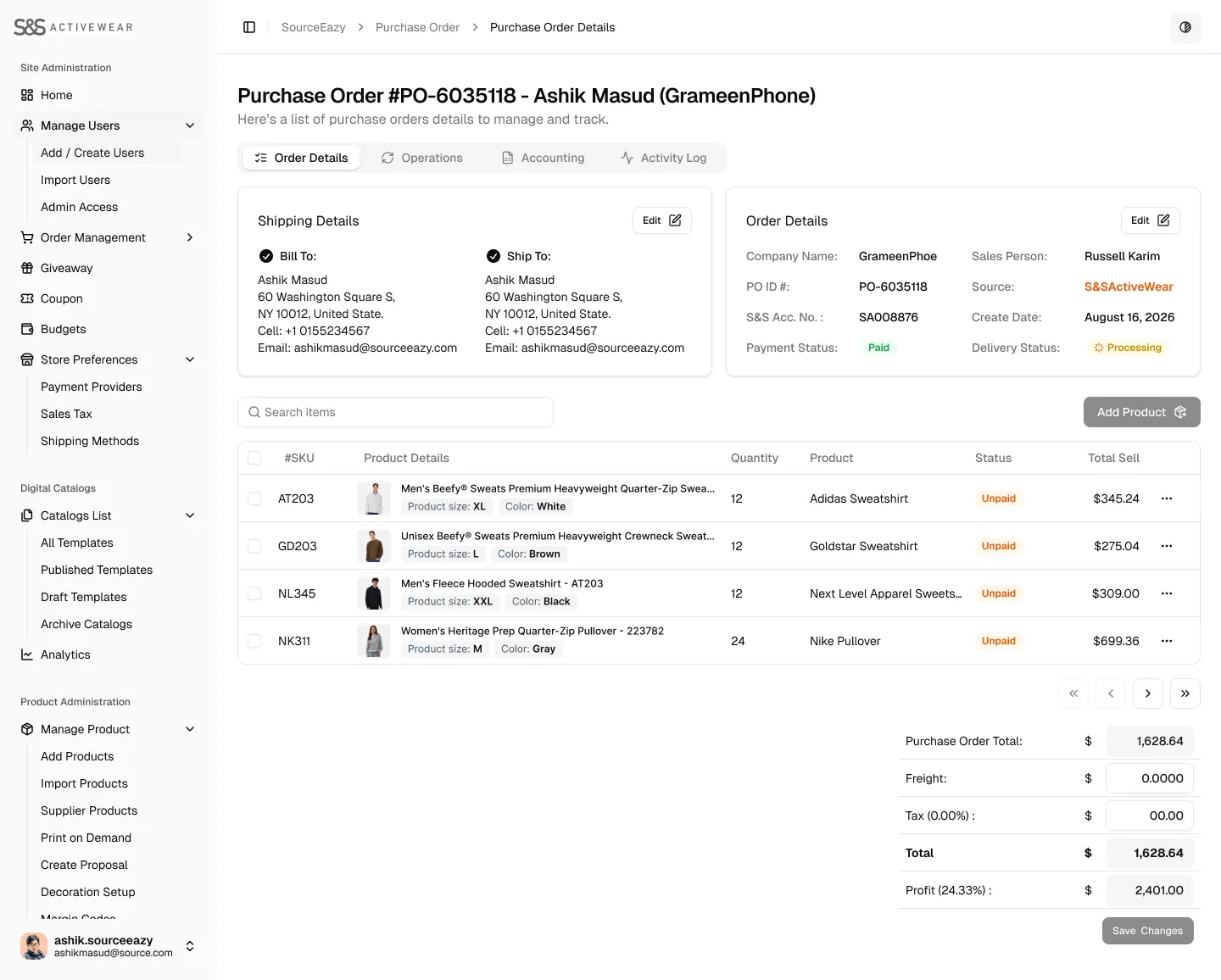
A customized SourceEazy dashboard brings revenue, orders, users, decoration settings and catalogues together.
ssactivewear.sourceeazy.com
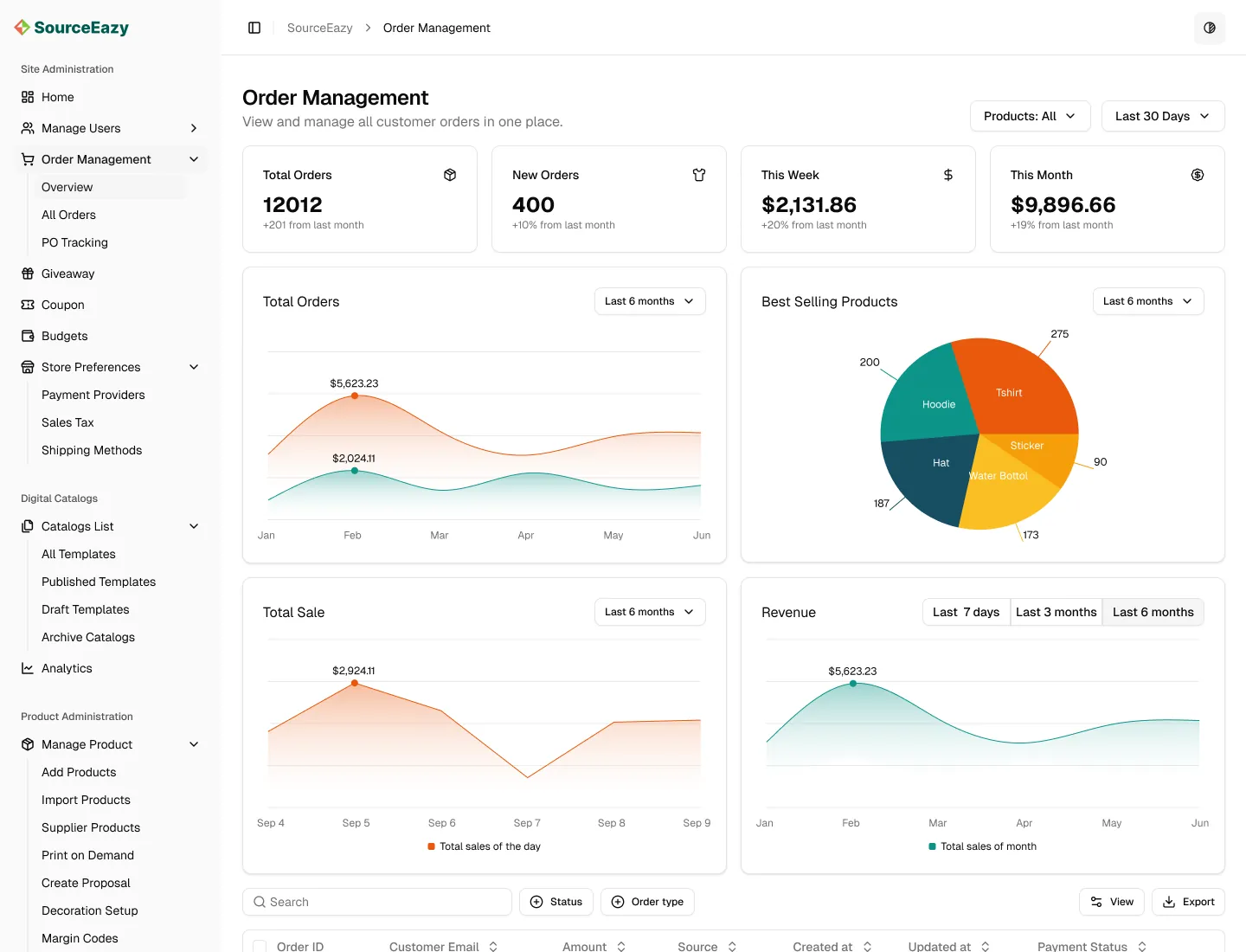
Order managementKPIs, charts and every order in one table.
Purchase orderShipping, products and totals on one page.
Users and permissionsRoles with a clear permission matrix.
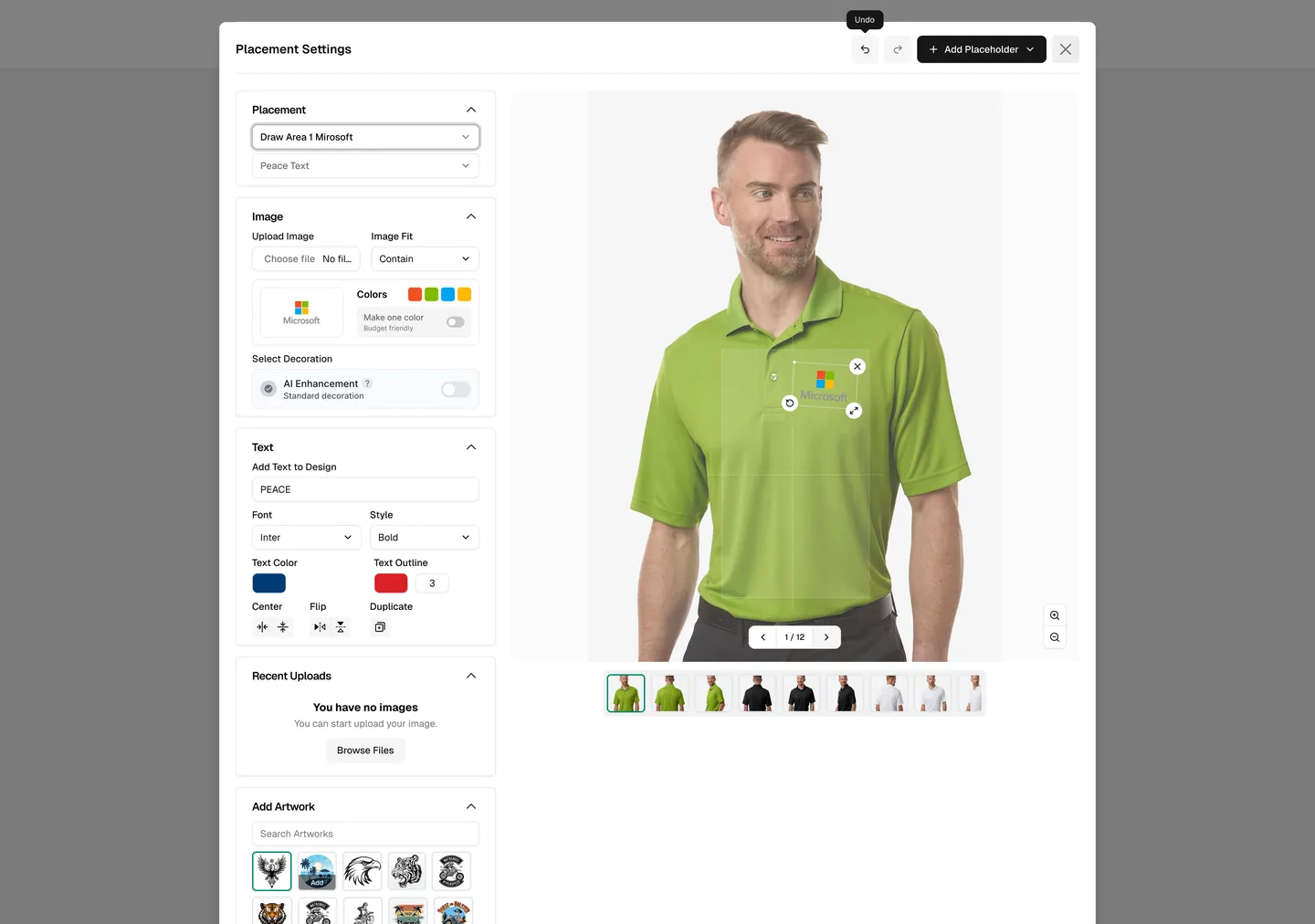
Placement settingsLogo and text on a live product preview.
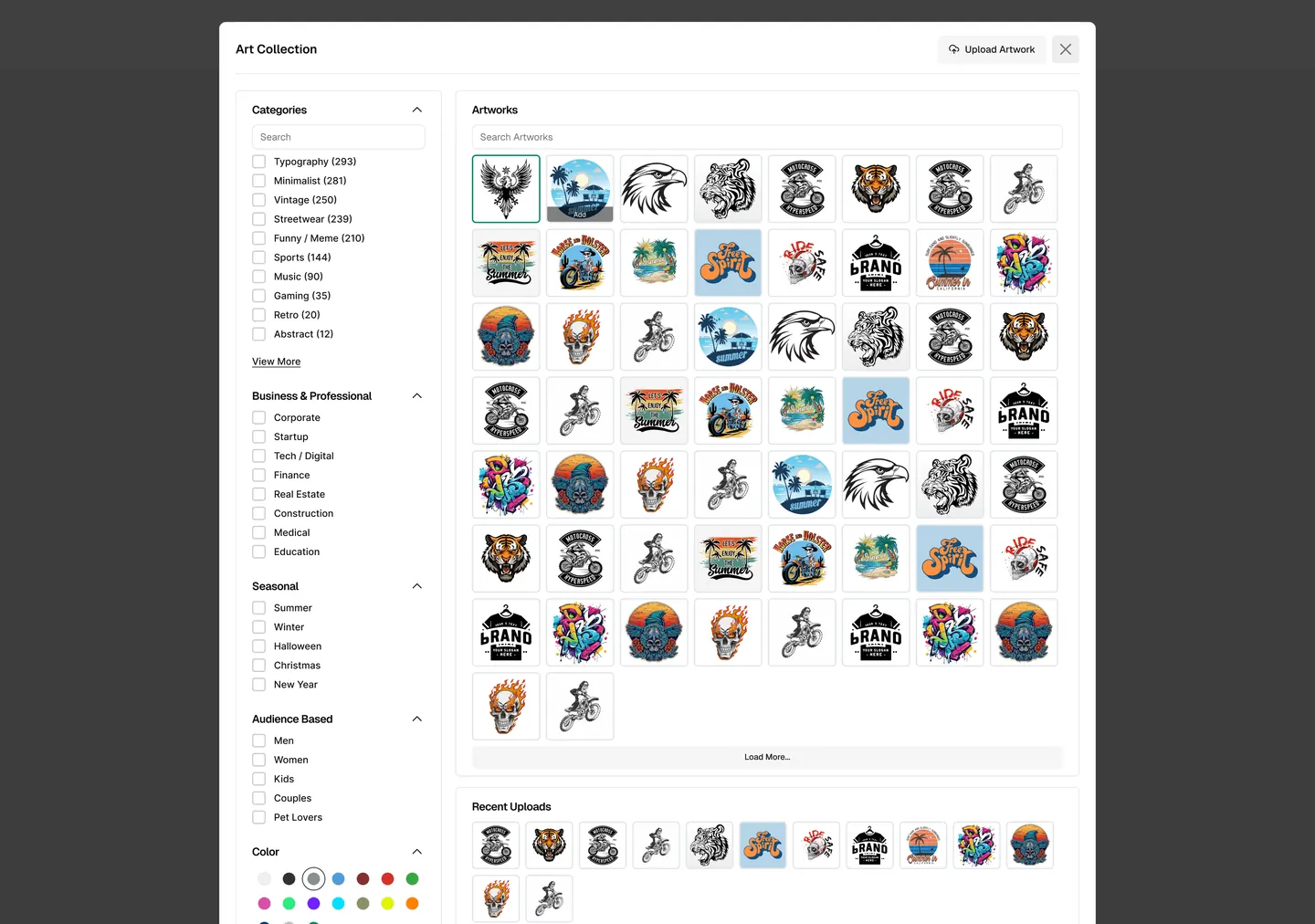
Artwork galleryApproved designs, ready to reuse.
Catalogue analyticsViews and status for every digital catalogue.
09.Design system
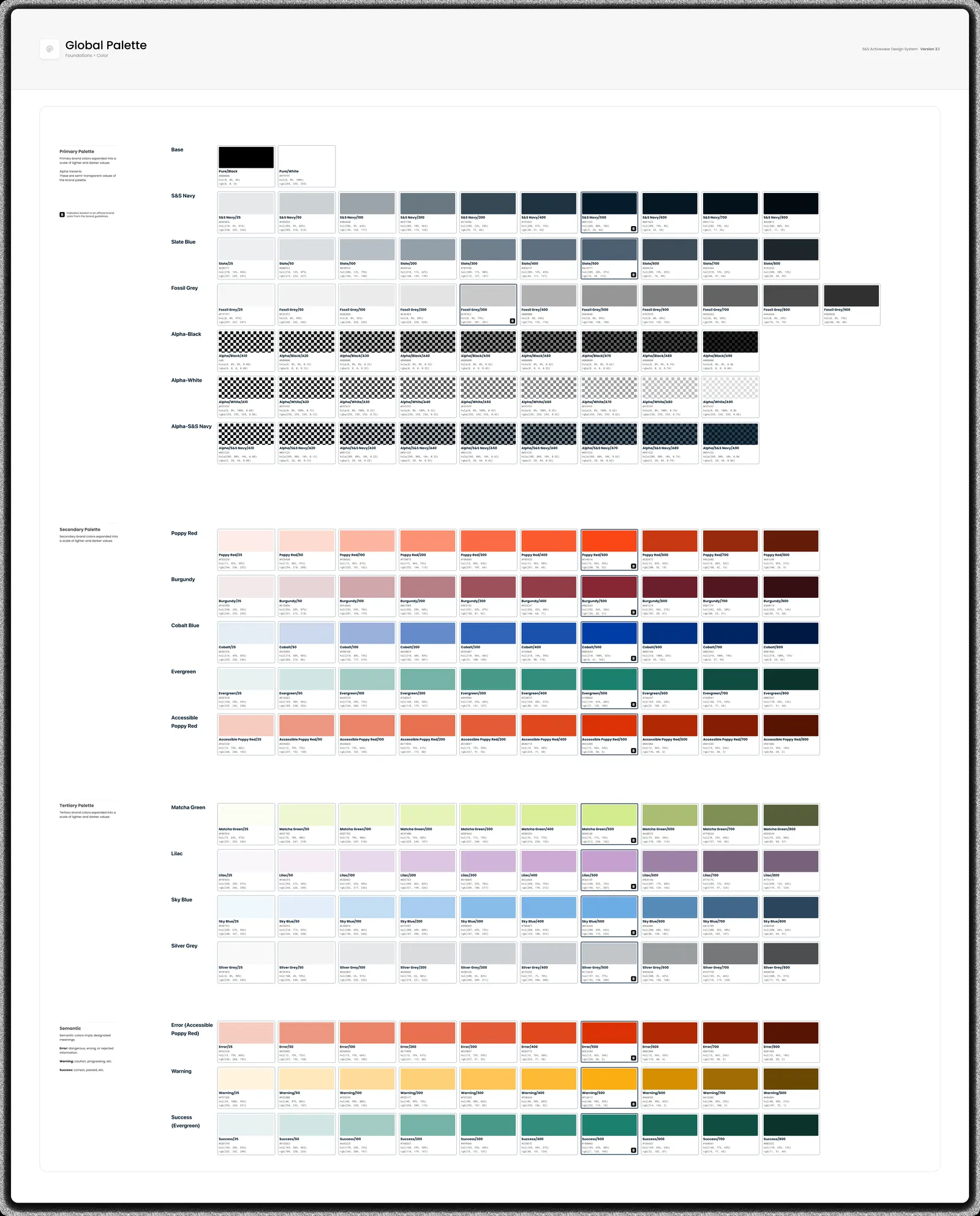
Built on theS&S brand
Primary navy and slate for structure, Poppy Red for action, and a wider palette for status and data.