Your community. Your journey. Your swag.
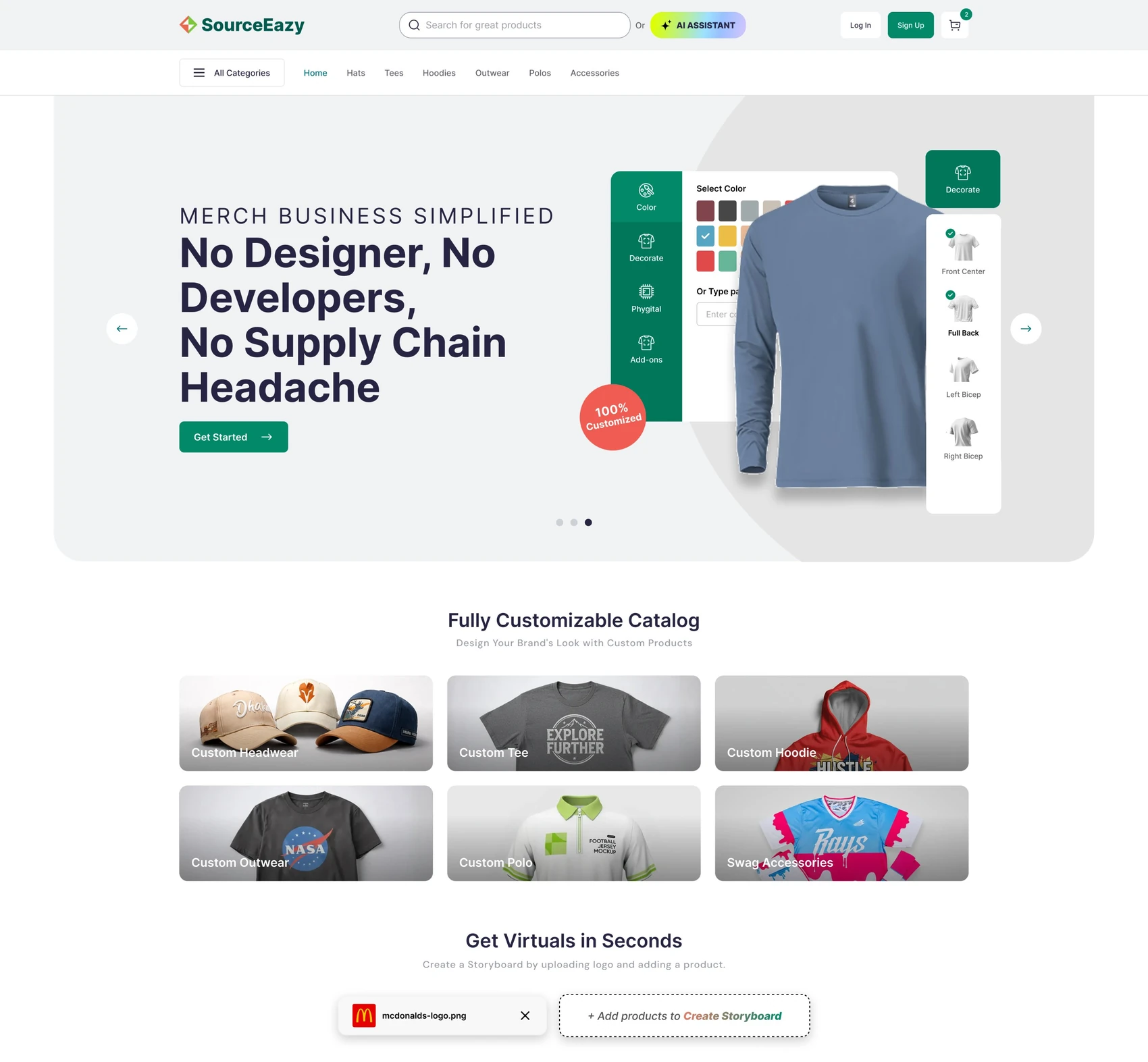
SourceEazy’s SaaS ecommerce store gives any brand its own merch shop in its own colours. I designed the full experience, shown here for Techstars: browsing and customizing branded products, a quick checkout, private giveaway links and order tracking.
01.Overview
One platform, every brand’s own store
Companies, accelerators and communities want branded merch, but running a shop isn’t their business. SourceEazy offers a ready-made store that takes on each brand’s logo, colours and footer, while SourceEazy handles products, decoration and fulfilment. I designed it for three people.
- Team member
Browses the brand’s catalogue, adds a design and orders for themselves or the team.
- Giveaway recipient
Opens a private link, picks sizes and colours, and gets swag for free.
- Brand team
Sets up products and giveaways and follows every order’s status.
02.Challenge
A store that feels like the brand, not the vendor
- 01White-label without the blandness
Every store must look native to its brand, with the same design working for Techstars or anyone else.
- 02Custom products, simple checkout
Colours, decoration, placements, sizes and tiered pricing, without making checkout feel like a form.
- 03Free swag, done safely
Giveaways need private links, deadlines and no payment step, but still a real shipping address.
03.Two paths
Shop or giveaway, one store
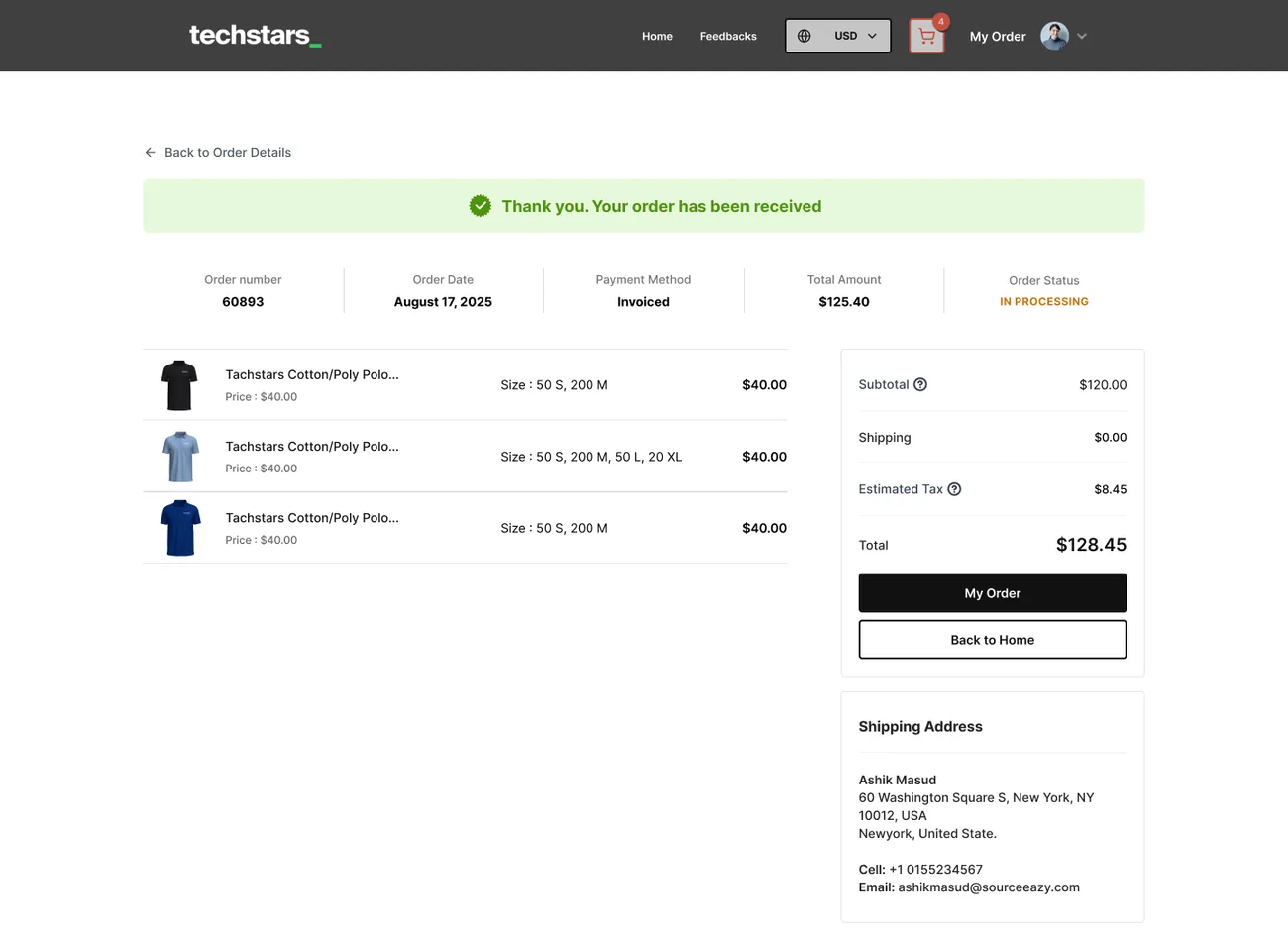
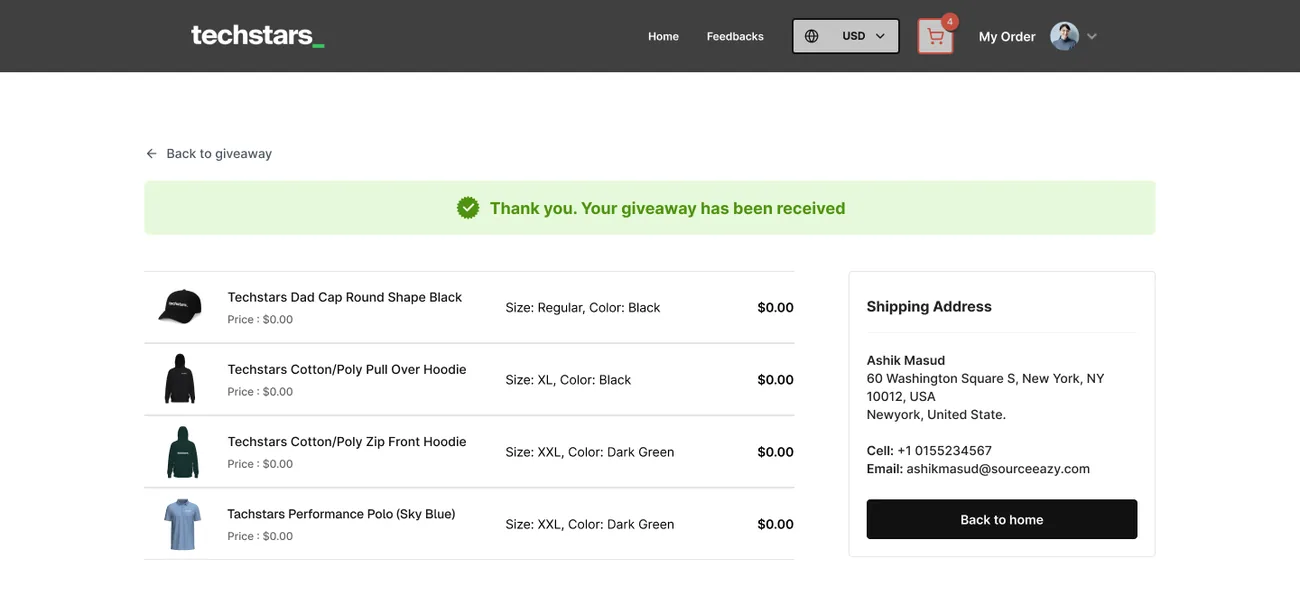
The same storefront serves two journeys. Shoppers pay; giveaway recipients don’t. Both end in the same order history.
- 1Browse
- 2Customize
- 3Cart
- 4Ship & pay
- 5Track
- 1Open link
- 2Pick sizes
- 3Ship
- 4Received
- 5Track
04.Storefront
Find it, then add it in one step
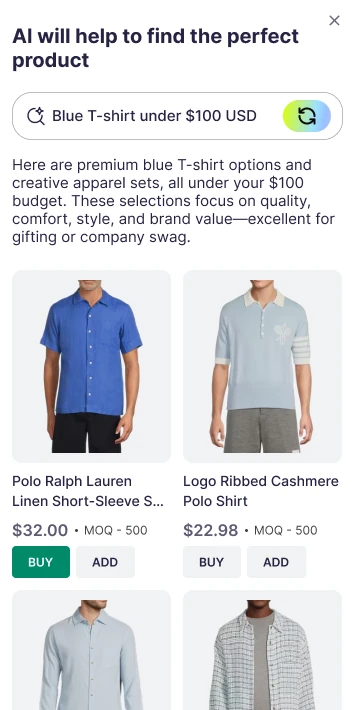
A bold hero carries the brand’s voice, then a single search and a clean product grid. Every card offers Buy and Add, so nobody has to open a product page just to pick a size.

- 1Brand-first heroThe client’s photo, headline and mission.
- 2Search and filtersCategories, price range and minimum quantity.
- 3Buy or AddQuick actions on every product card.
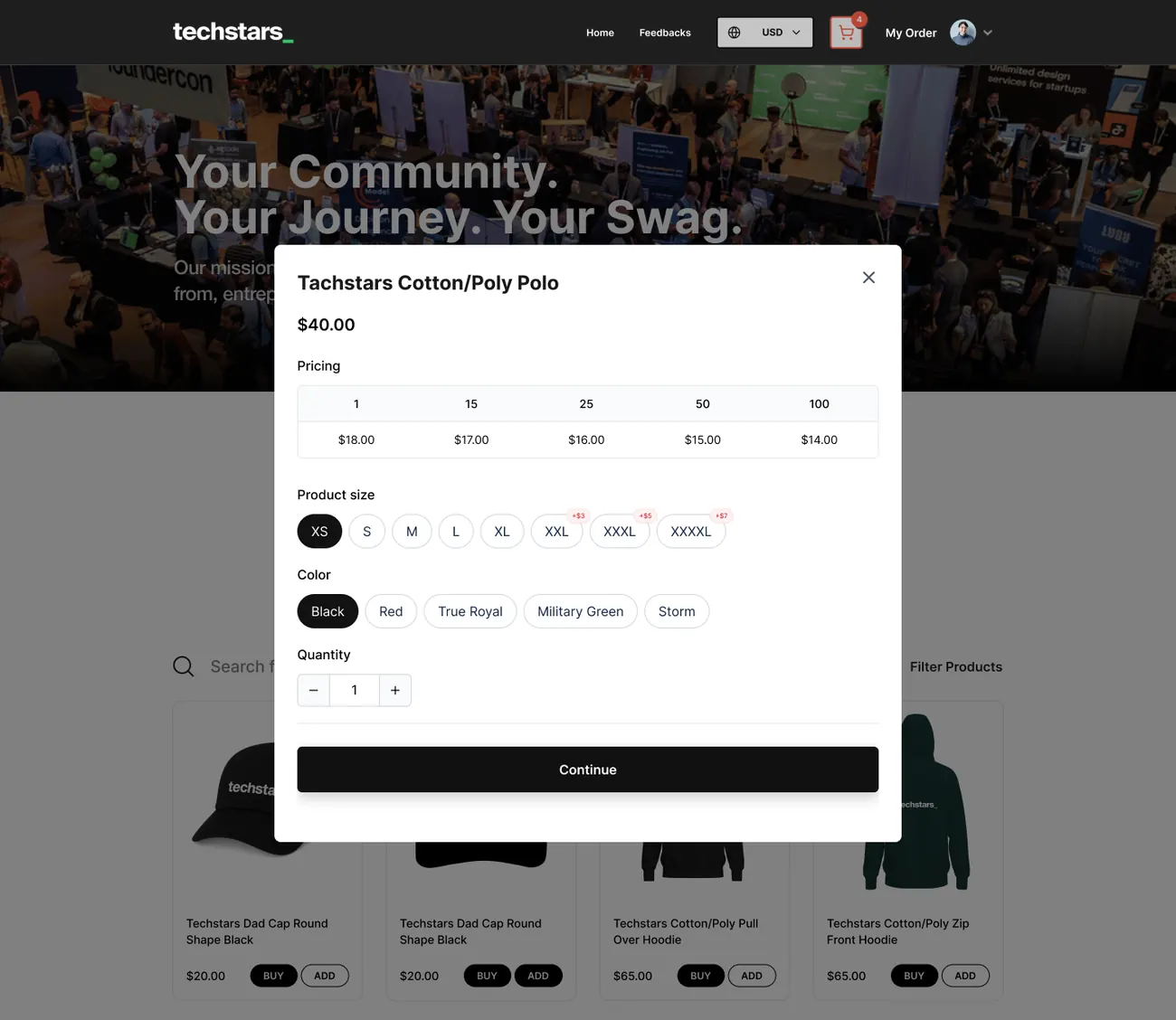
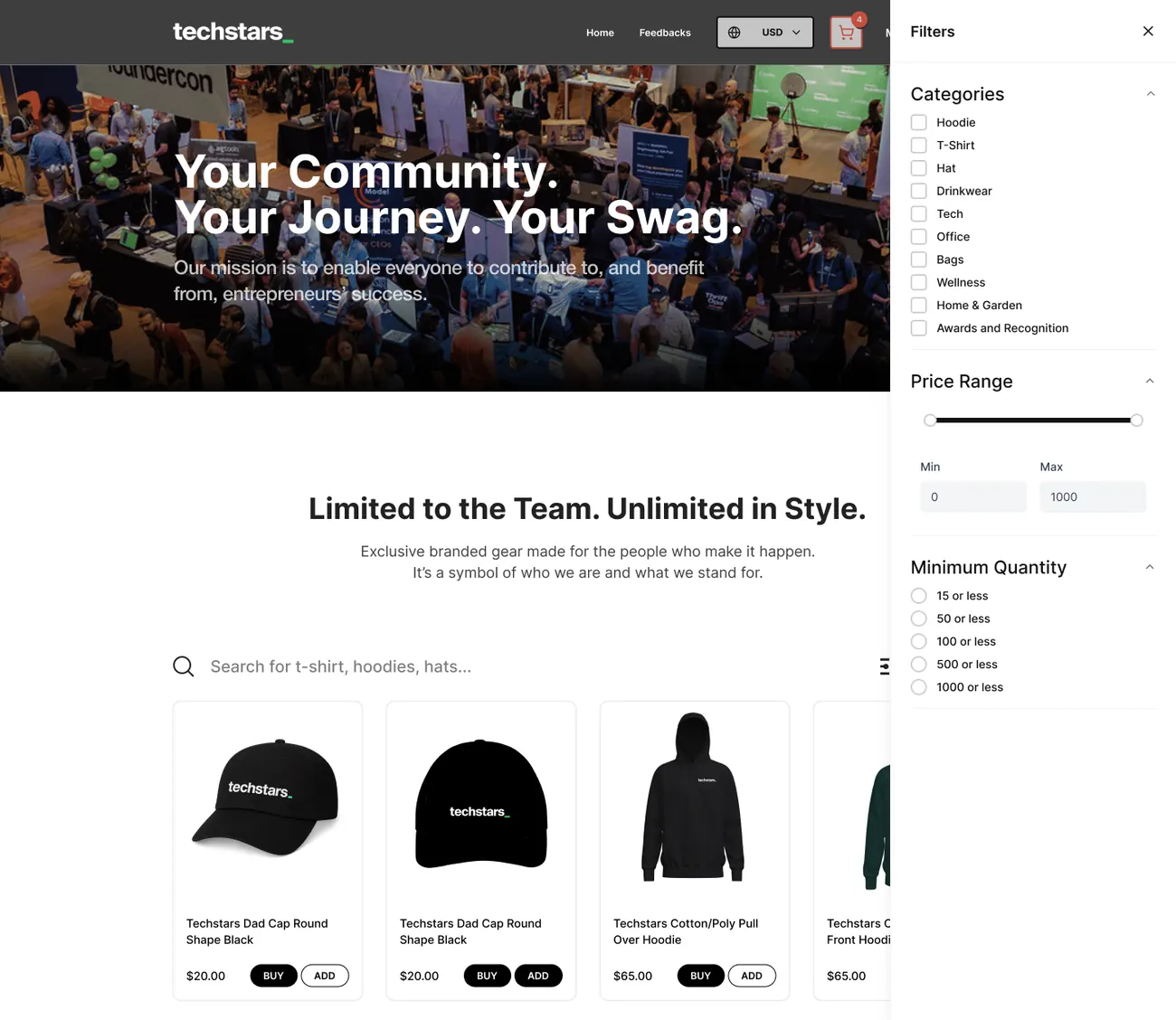
Quick add shows tiered pricing, sizes and colours in a modal. Filters open in a side drawer and keep the grid in view.
05.Product & design
Customize it the way you’d explain it
The product page reads like a numbered recipe: choose colours, choose a decoration method, upload designs per placement, pick a size and a quantity.
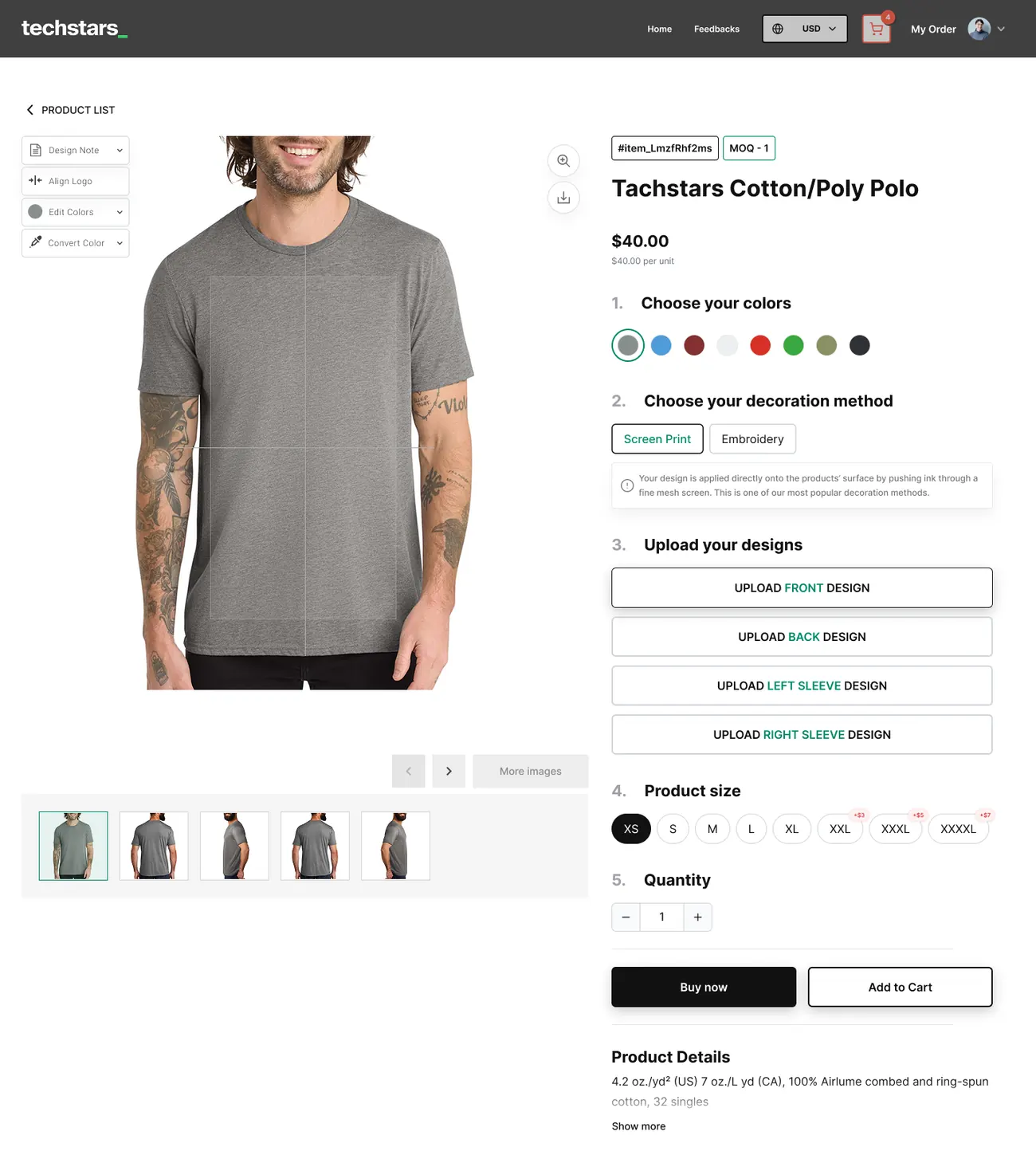
- 1Five numbered stepsFrom colour to quantity, top to bottom.
- 2Decoration explainedScreen print or embroidery, with a plain note.
- 3Upcharges in place+$3, +$5 and +$7 badges on larger sizes.
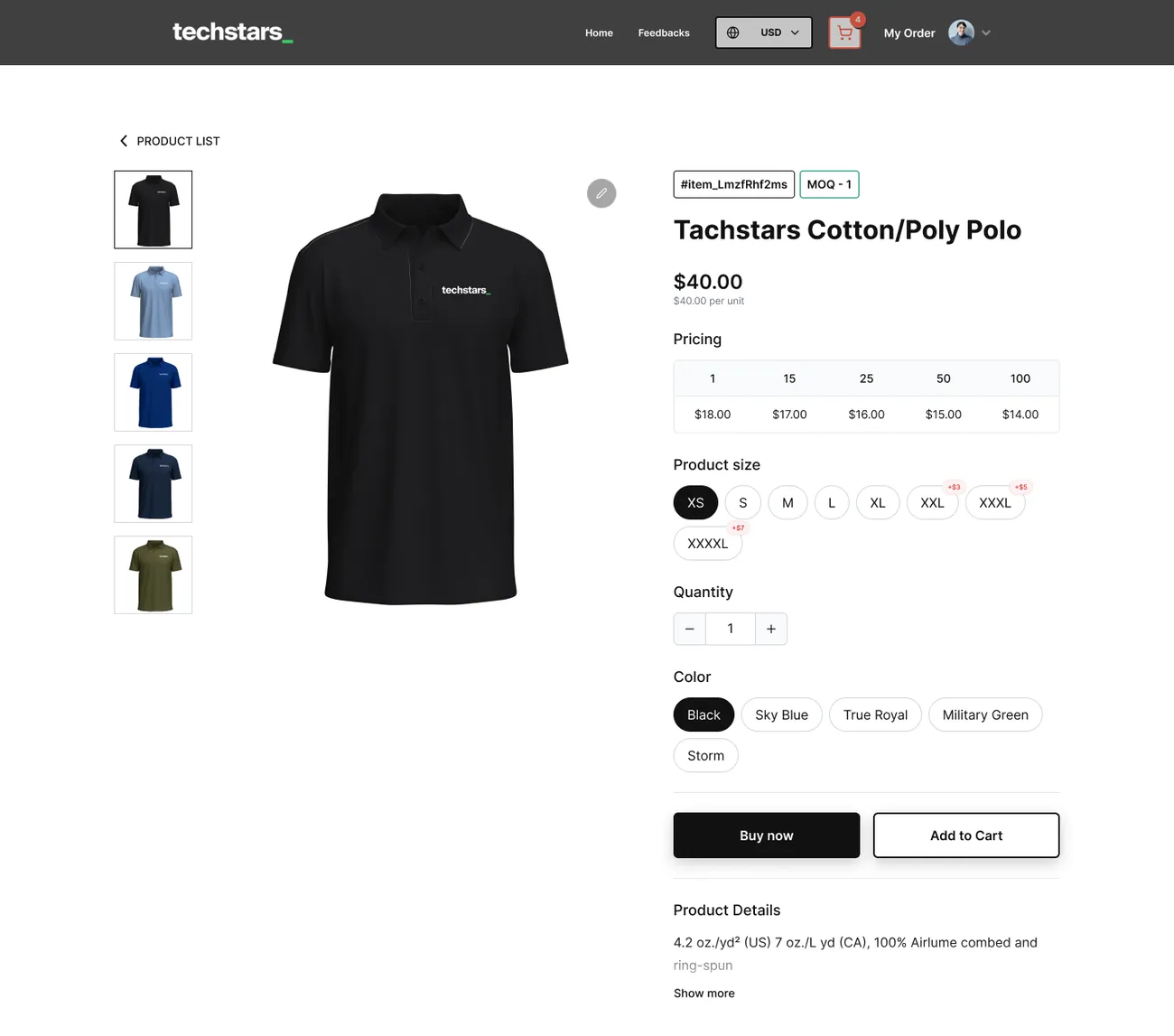
A simpler variant for ready-made items: a tiered pricing table from 1 to 100 units, sizes and colour chips.
06.Cart & checkout
Three steps, no surprises
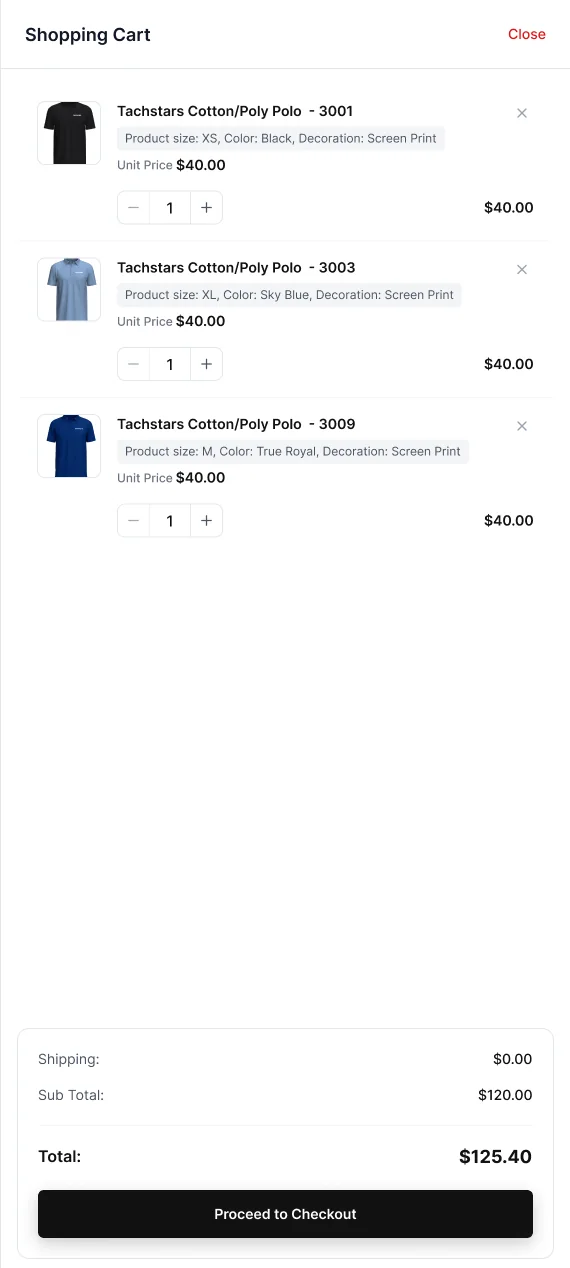
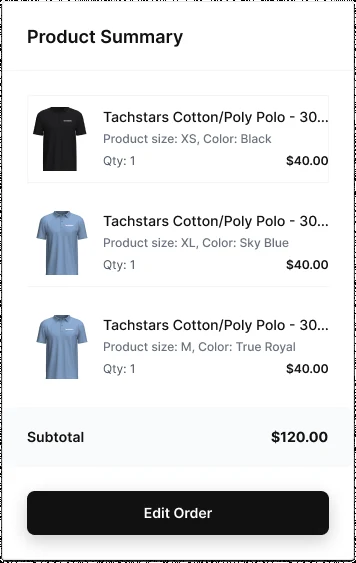
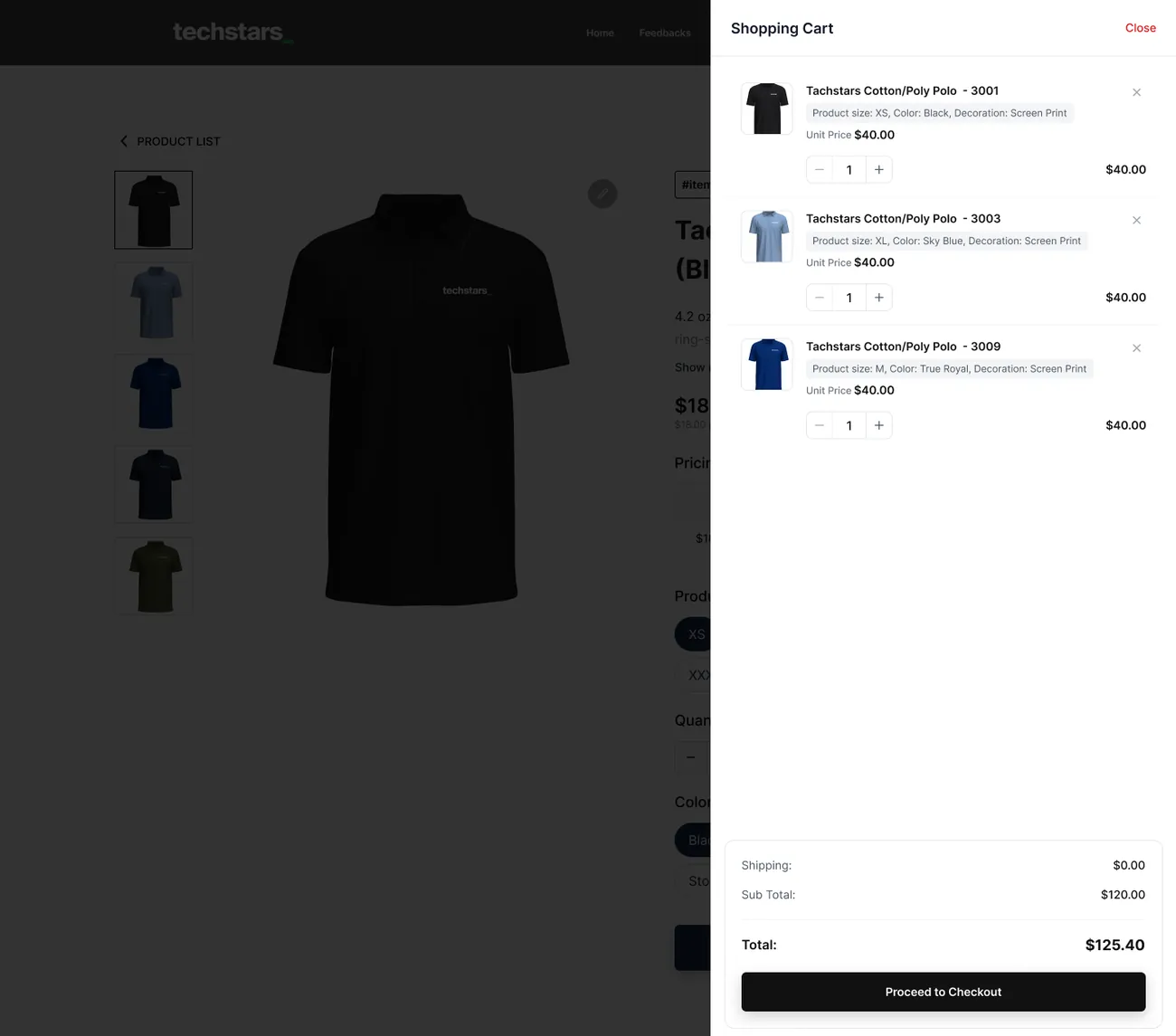
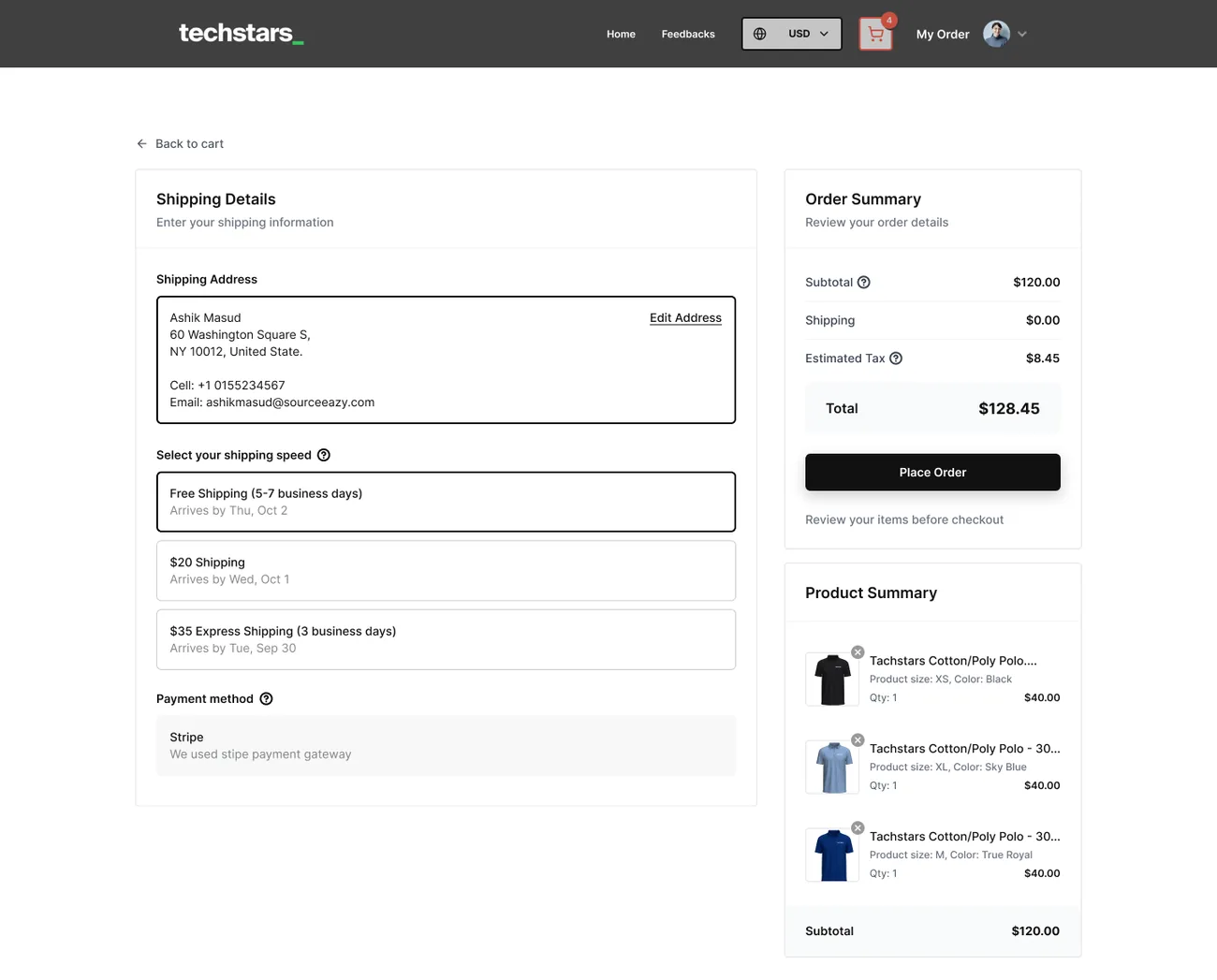
The cart opens as a drawer over the product, so shopping never stops. Checkout then saves the address once and shows shipping speed, tax and total before the order is placed.
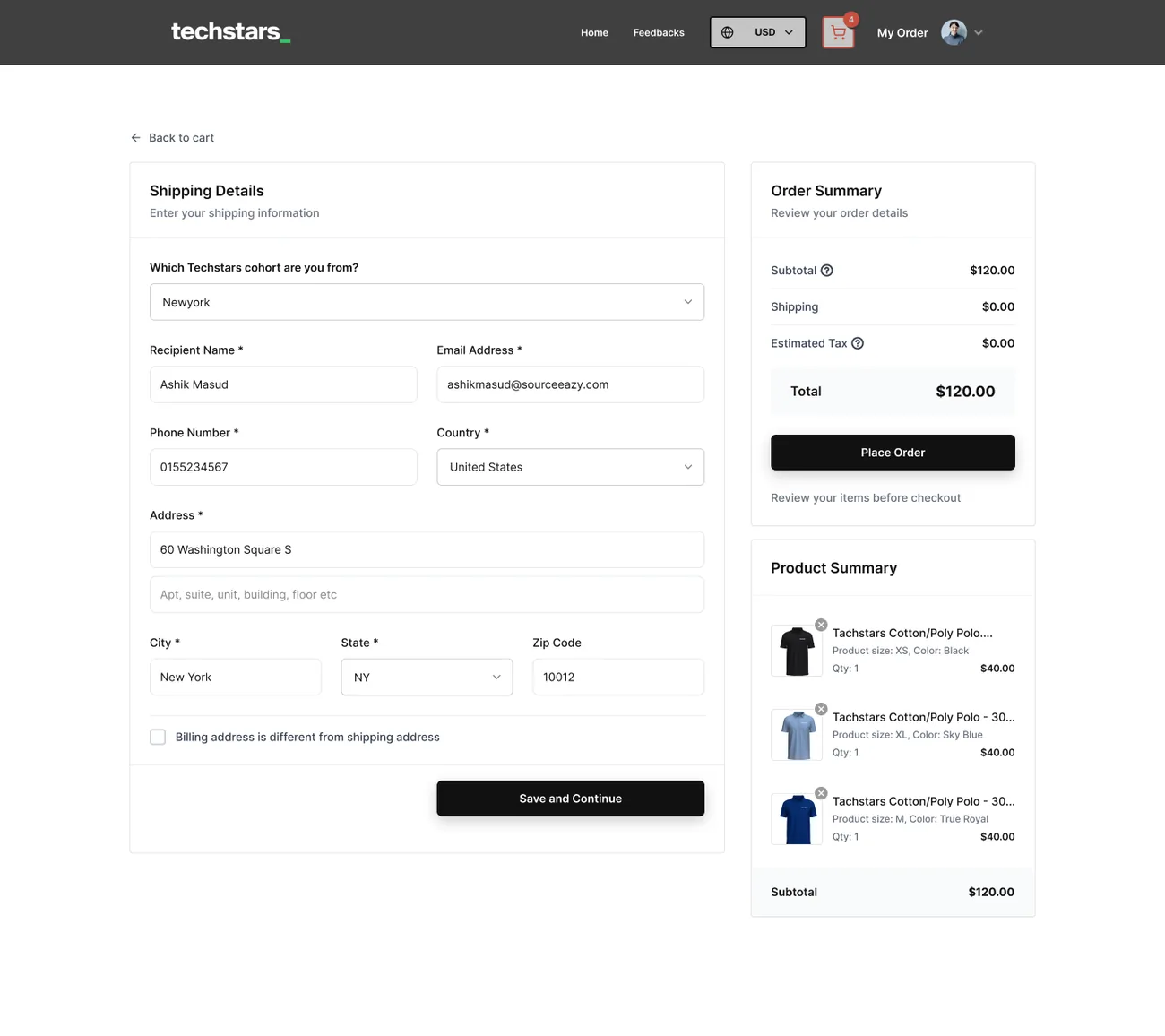
- 1Cohort firstOne question that personalises the order.
- 2Shipping speedFree, $20 or $35 express, with arrival dates.
- 3Clear totalSubtotal, shipping and estimated tax up front.
07.Giveaways
Free swag, with a deadline
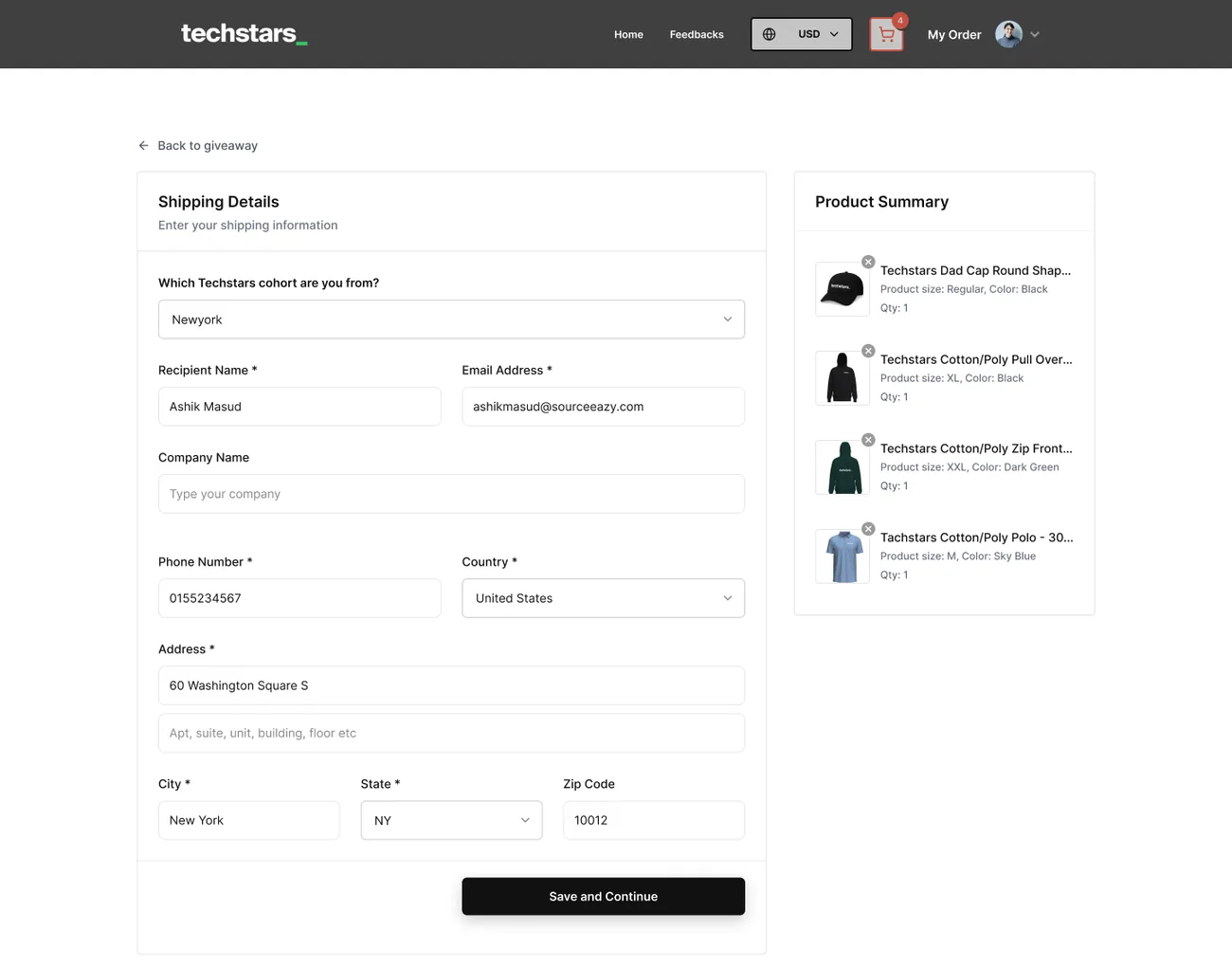
A brand can send a private giveaway link. Recipients see a countdown, the items chosen for them, and simple size and colour pickers. No cart, no payment.
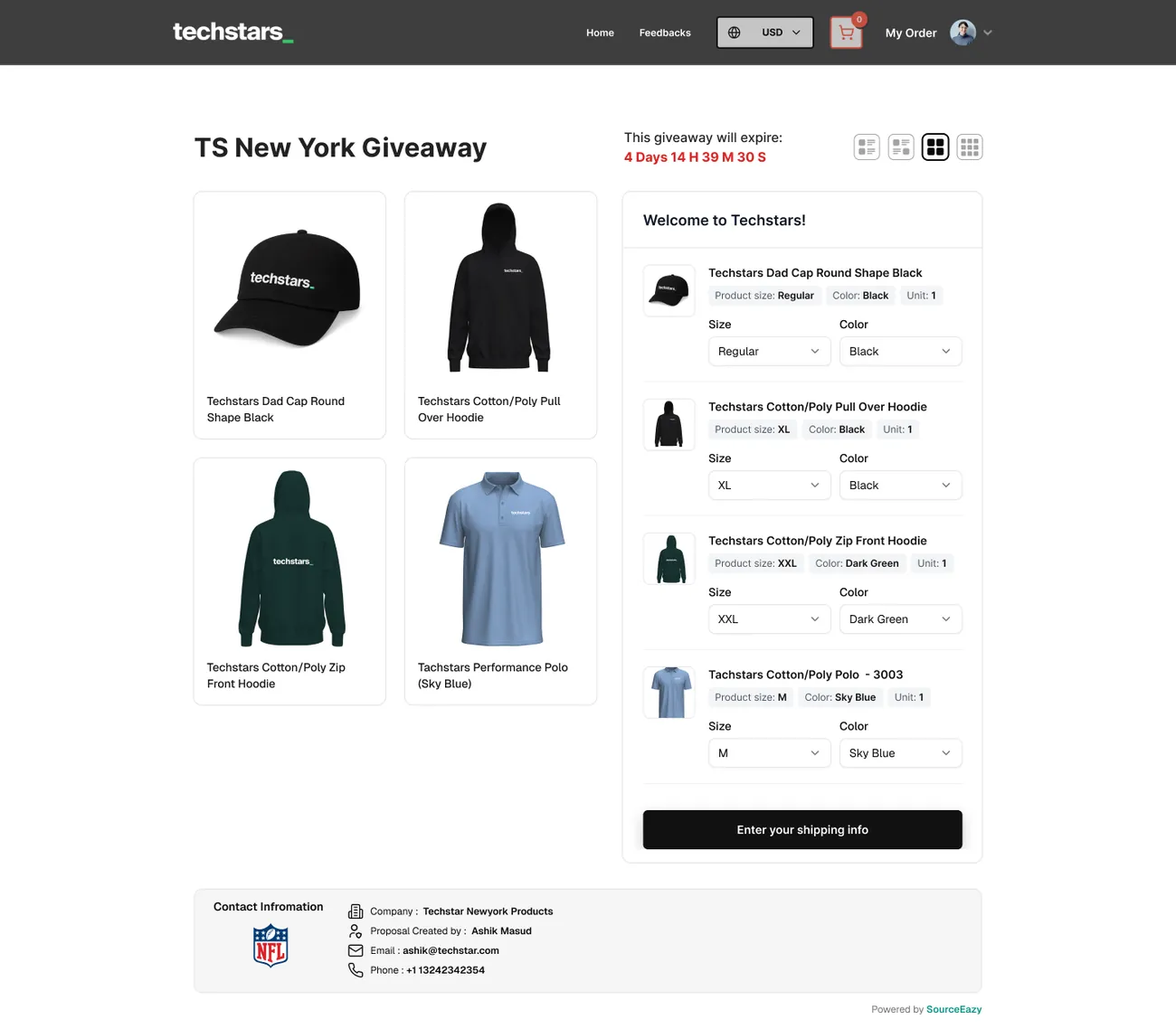
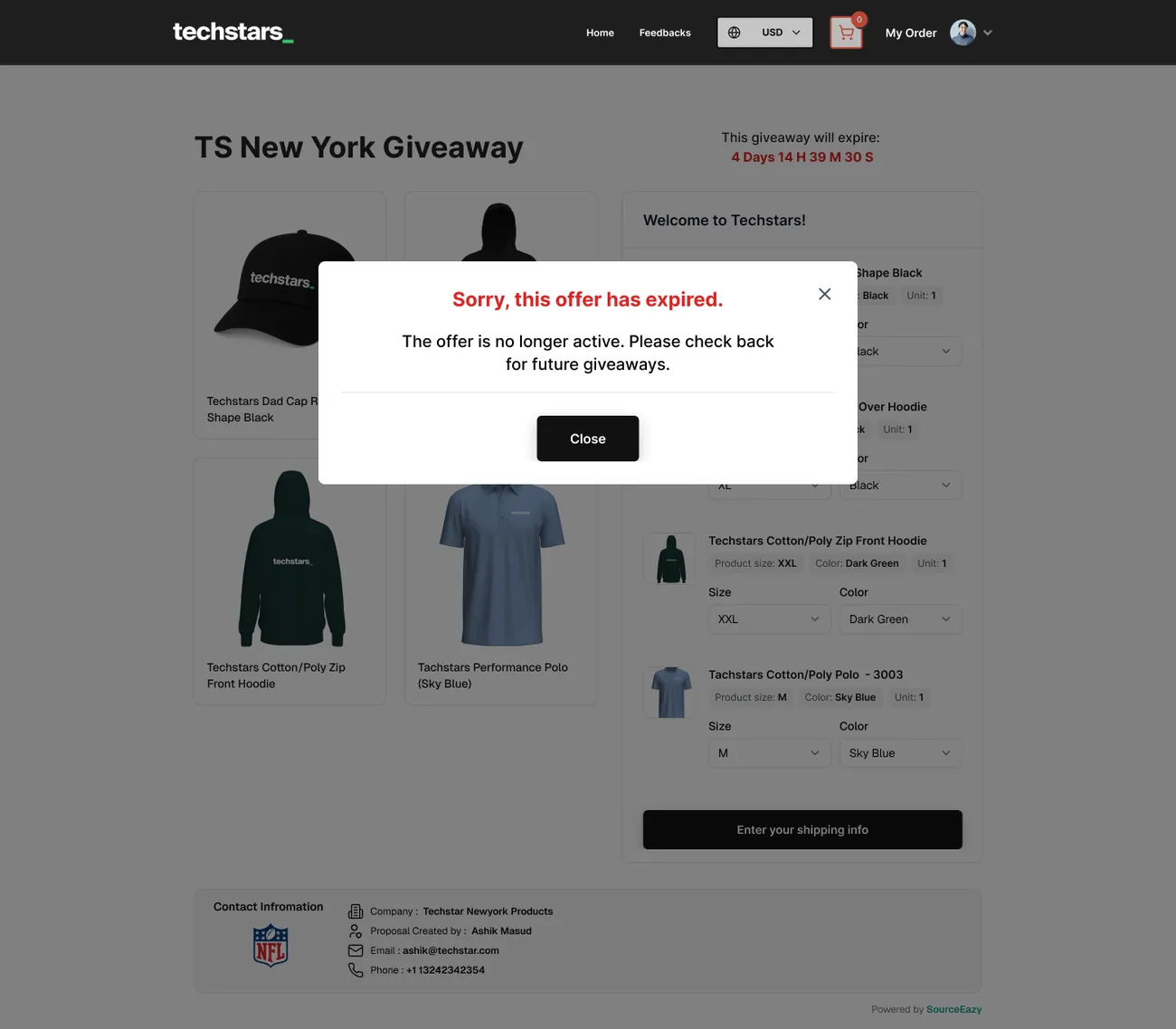
- 1CountdownThe deadline in red, days to seconds.
- 2Pick, don’t shopSize and colour per item, nothing else.
- 3Graceful expiryA clear message when the offer has ended.
08.Account
Every order, one table
Purchases and giveaways share one order history, with thumbnails, quantity, date and a colour-coded status.
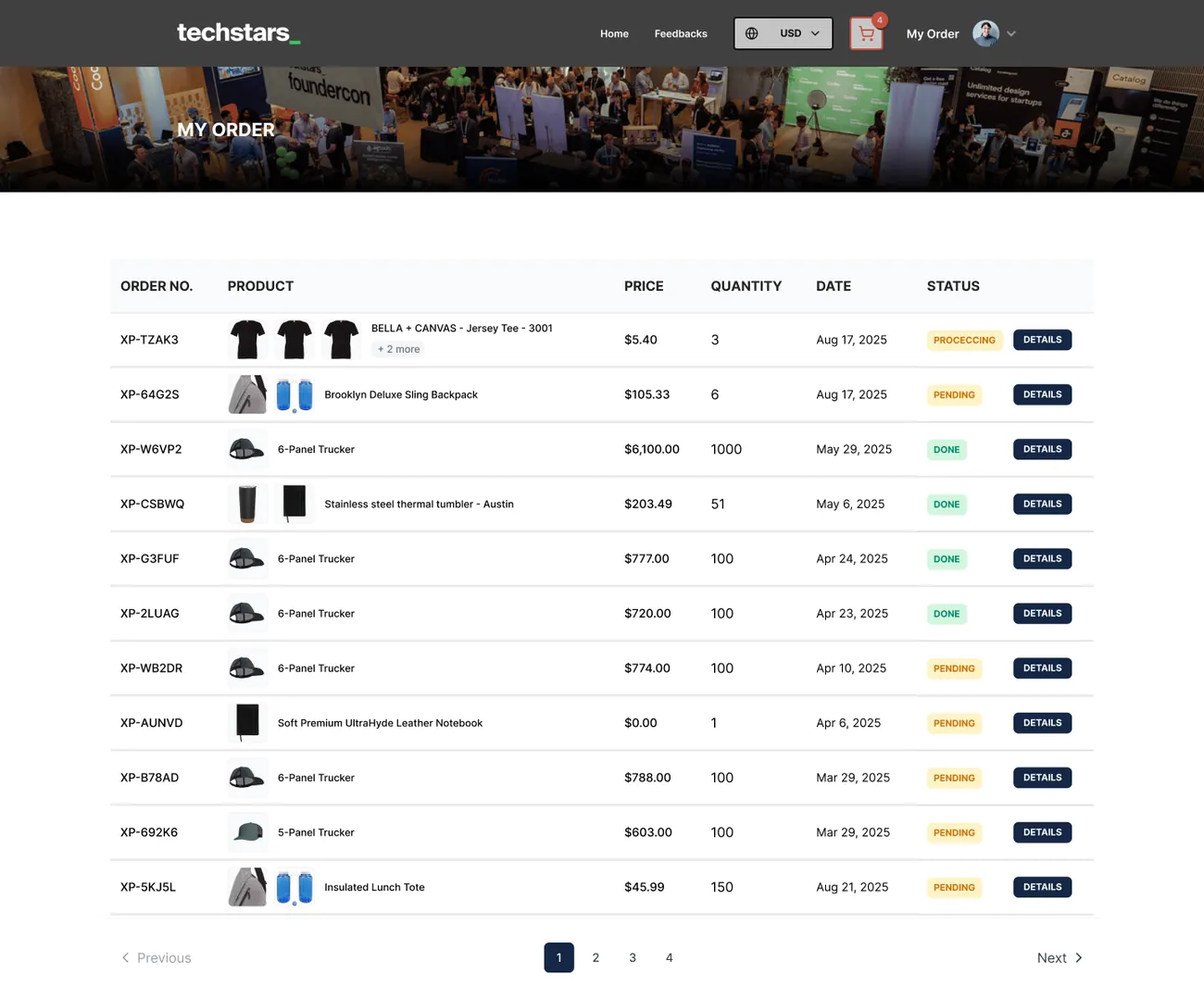
- 1One historyShop orders and giveaways together.
- 2Status at a glanceProcessing, pending and done chips.
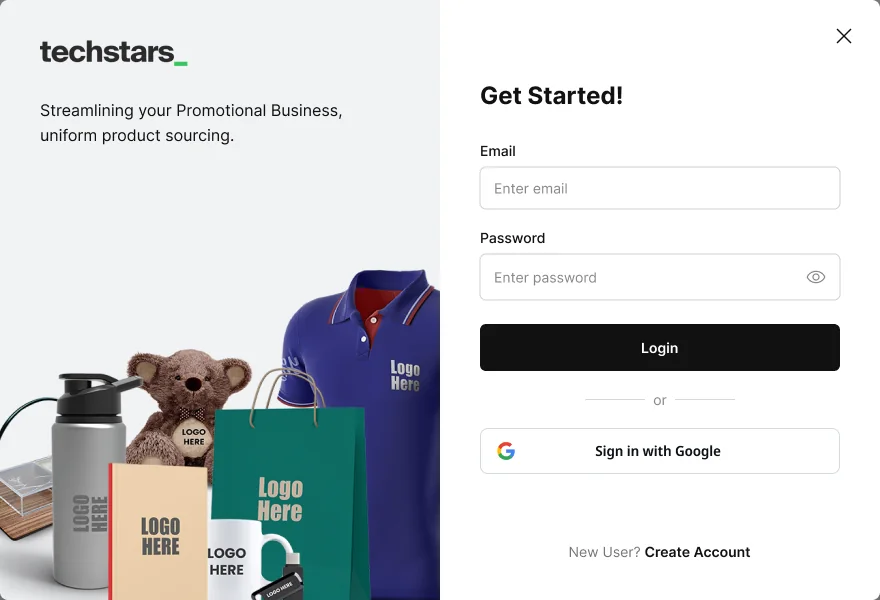
- 3Easy sign-inEmail or Google, inside a modal.
09.Design system
White-label by design
The store is built from neutral components that take on each brand’s logo and accent. For Techstars that means black, white and their signature green.
- Ink#111111 · Buttons, header
- White#FFFFFF · Surfaces
- Techstars green#39C463 · Brand accent
- Mist#F2F2F2 · Panels
- Amber#D97706 · Pending
- Green#16A34A · Done
SaaS Ecommerce Store, every brand’s own merch shop.
Next project