Merch business, simplified.
SourceEazy’s business website is the front door to its promotional supply chain. Visitors search or ask an AI assistant, see their own logo on products in seconds, then customize and order. I designed the experience for desktop, tablet and mobile.
01.Overview
One website, from first search to branded order
SourceEazy streamlines the promotional industry’s supply chain, from sourcing to production to distribution. The business website is where a company starts: it finds a product, sees its own logo on it and places an order without chasing a designer, a developer or a supplier. The design does three jobs.
- Find
Search in plain words, ask the AI assistant, browse six product families or narrow the grid with filters.
- See it
Upload a logo once and it appears on every product, so a storyboard takes seconds, not a design brief.
- Order
Choose colours, a decoration method and sizes, upload artwork for each placement, then buy or add to cart.
02.Challenge
A big catalogue and a visitor who is not a designer
- 01Hundreds of products, one visit
The catalogue spans hats, tees, hoodies, outerwear, polos and accessories. People need a way in that does not start with a long list.
- 02Custom merch without a designer
Visitors are buyers, not designers. They need to see their logo on a product before they trust it, with no artwork skills required.
- 03One experience on every screen
Search, the AI assistant and filters must work on desktop, tablet and mobile, not only on a wide screen.
03.Journey
Find it, see it, order it
The path from landing to order is short on purpose. Each step leads to the next, and the visitor’s logo travels with them from the first upload to the final product page.
- 1Land
- 2Search or ask AI
- 3See your logo
- 4Customize
- 5Order
04.Home page
A clear promise, then the catalogue
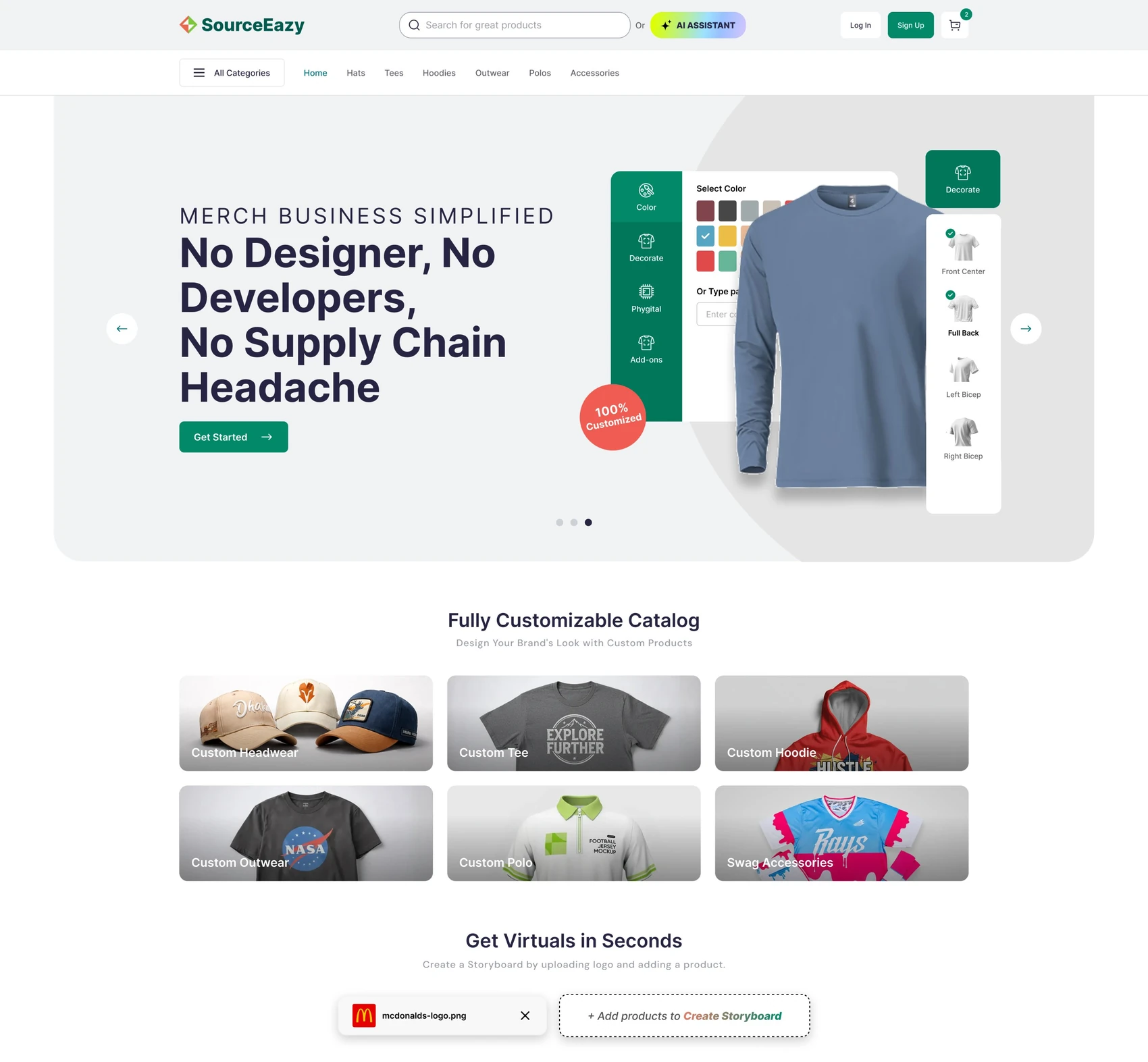
The home page opens with a hero that says what the site does in one line, then offers six product families as photo tiles. A short explainer and an upload row sit right above the product grid, so the next step is never far.
- 1One promiseMerch business simplified, with a single action beneath it.
- 2Six product familiesHeadwear, tees, hoodies, outerwear, polos and accessories as photo tiles.
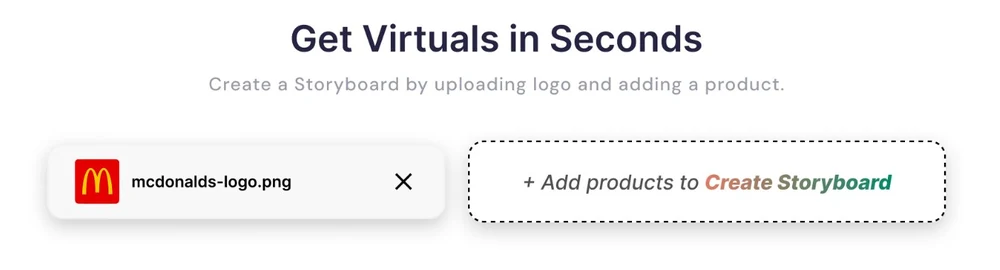
- 3Virtuals up frontAn upload row above the grid invites a logo before anyone scrolls.
05.Hero banners
Three slides, one promise each
The hero rotates through three slides. Each pairs a short headline with a real product shot and one clear button, so a slide earns its place instead of decorating the page.
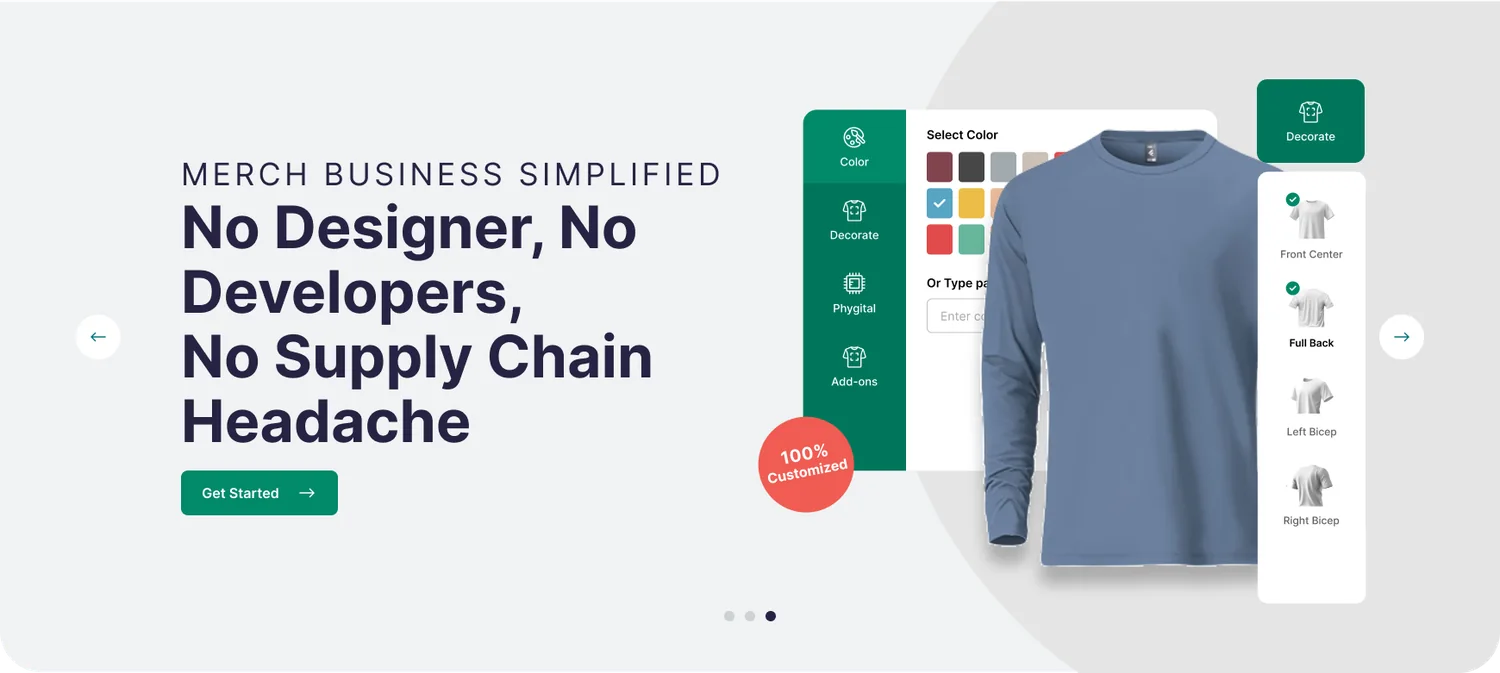
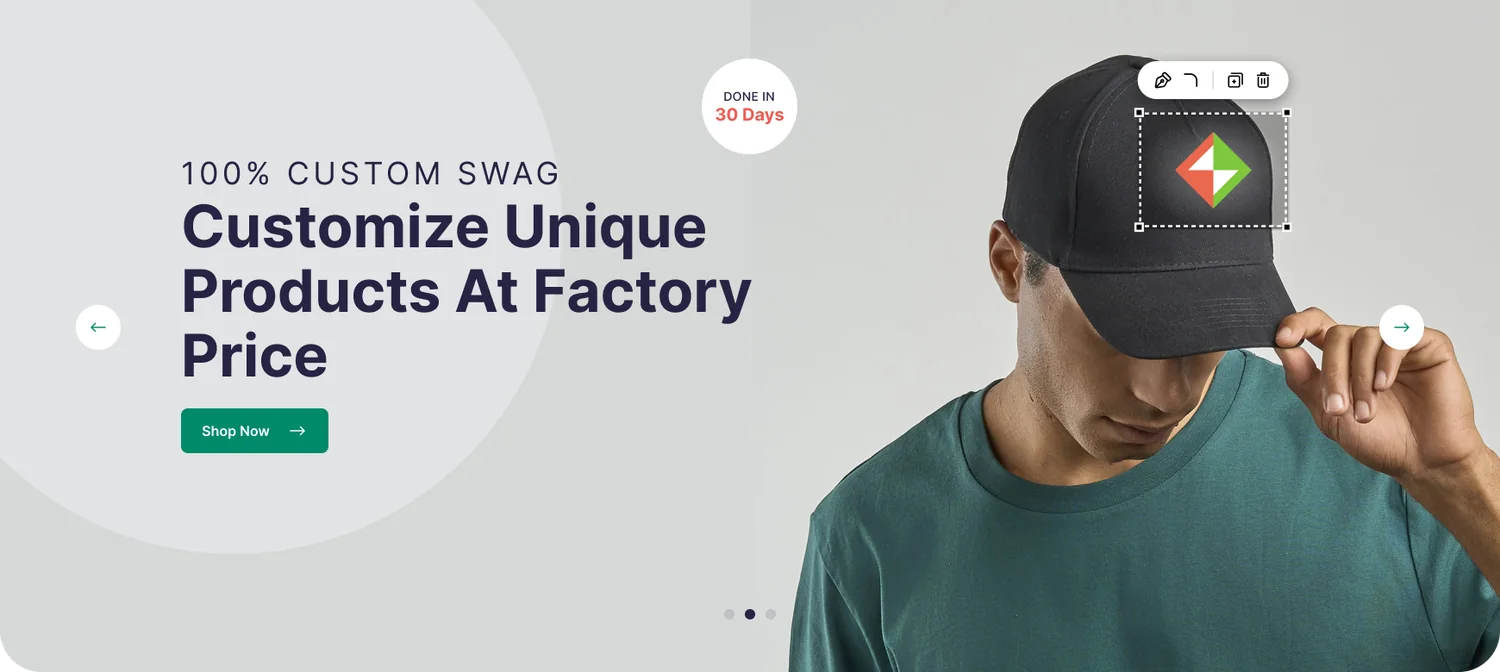
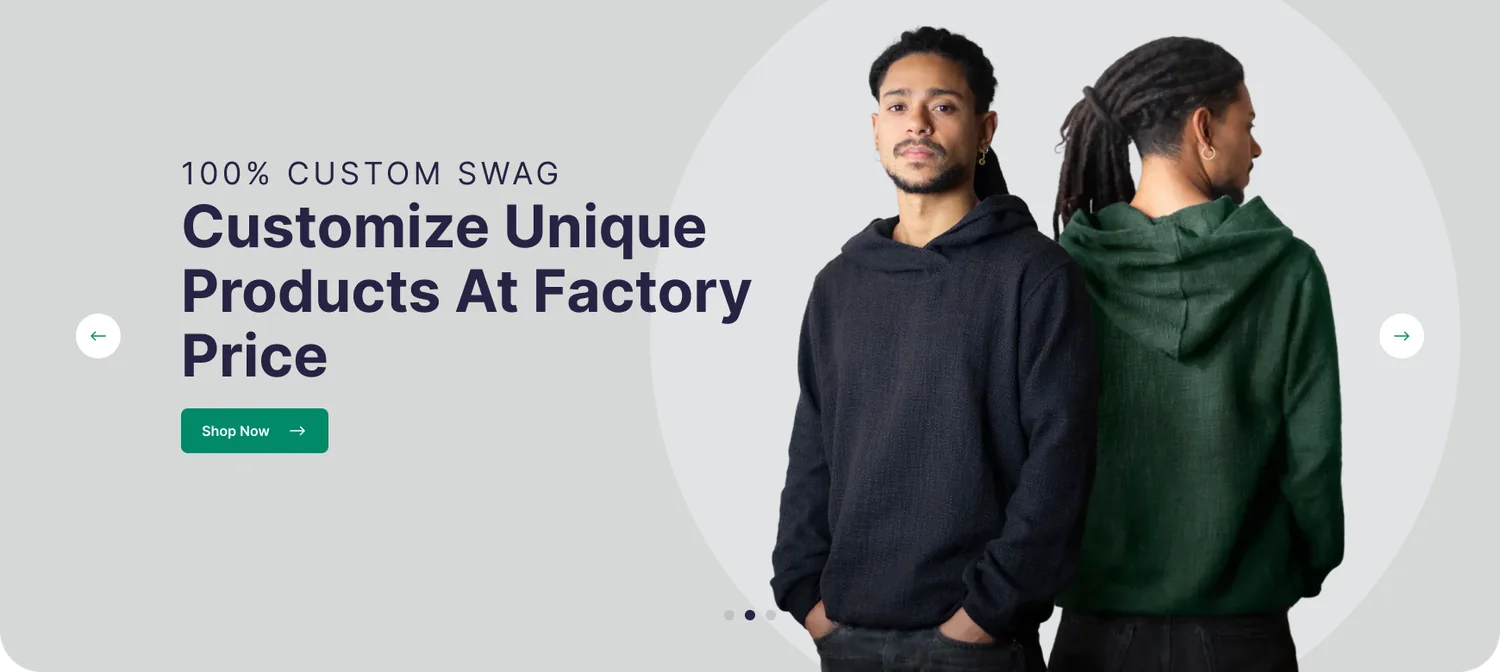
Slide one shows a logo being placed on a cap. Slide two shows the product’s own customizer.
- 1Product as heroPeople wear the product, and slide two shows the customizer itself.
- 2One button per slideShop Now or Get Started, never both.
- 3Quiet controlsArrows and dots sit at the edges, out of the headline’s way.
06.Header
Search, ask or browse
The header leads with search, then offers the AI assistant, log in, sign up and the cart. A second row holds the category links and an All Categories menu.
- 1Search firstA wide field leads, and the AI assistant is one click away.
- 2Account and cartLog in and Sign up sit beside a cart with an item count.
- 3Category rowHome, Hats, Tees, Hoodies, Outwear, Polos and Accessories, plus an All Categories menu.
07.AI assistant
Ask for it in plain words
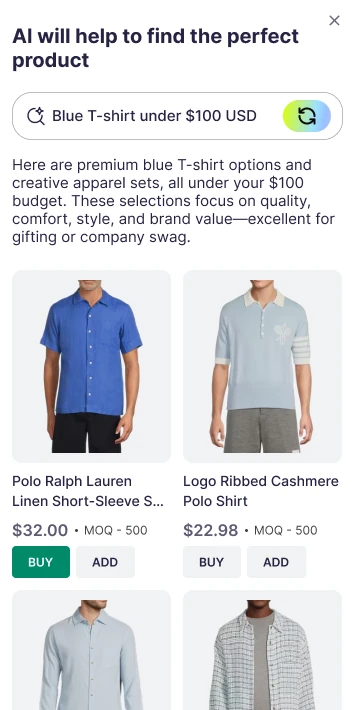
Instead of making people guess a category, the assistant takes a plain request such as “Blue T-shirt under $100 USD”. It answers with a short note and two sets of results: ready-made products to buy or add, then Design Studio products that can be customized.

- 1Plain-language requestOne field, with a Start over button always in reach.
- 2Buy or add at onceEvery pick shows price and minimum order quantity, with Buy and Add.
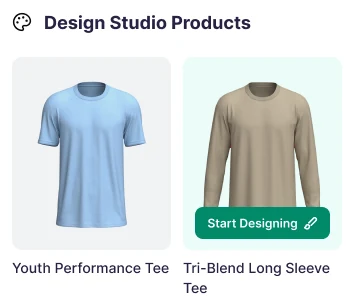
- 3Design Studio nextCustomizable products follow, and Start Designing appears on hover.

Tablet (back) shows Design Studio products in three columns. On mobile (front) the results drop to two columns, and the same buttons stay within thumb reach.
08.Virtuals
See your logo on every product
Get Virtuals in Seconds is the site’s own name for logo mock-ups. A visitor uploads a logo, adds a product, and the site shows the two together. The logo then appears on every product card in the grid, so choosing becomes comparing.
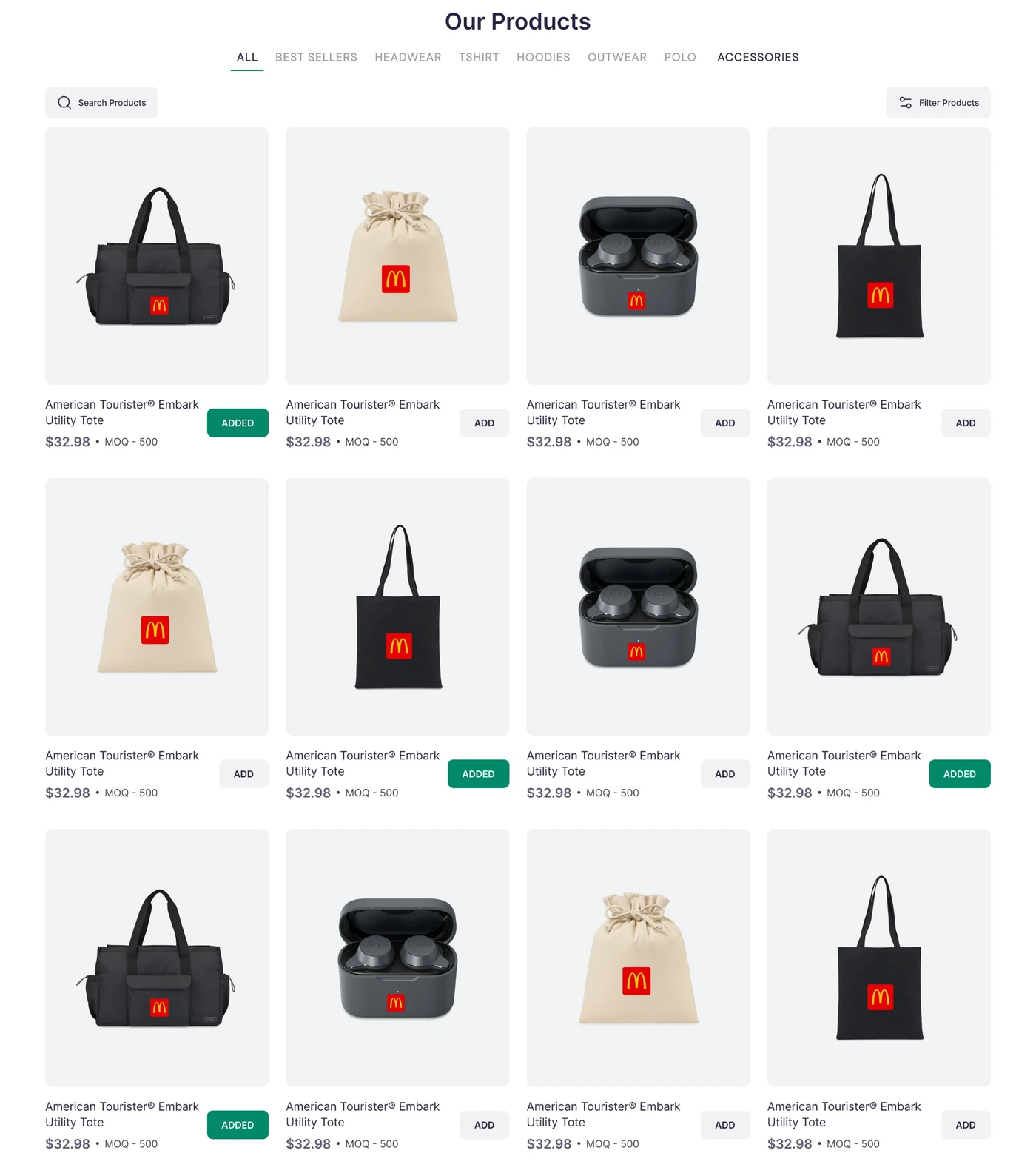

- 1Upload onceA file chip with a live progress bar and a cross to remove it.
- 2Preview everywhereEach product card shows the logo in place, ready to judge.
- 3Add and move onADD turns into a green ADDED, so the storyboard is easy to scan.
09.Filters
Narrow it down, stay in the grid
Filter Products opens a row of dropdowns. Each one uses the control that fits its data, so a filter feels like the thing it filters.
- 1Right control, right dataCheckboxes for lists, radio buttons for quantity, a range slider for price.
- 2Counts and colour dotsFeatures show result counts and colours show a dot, so choices read at a glance.
- 3Easy to undoClear all sits at the top of each list, and price has its own Clear.
10.Product page
Customize it right on the product
On the product page the logo sits on the product itself. Tools beside it align the logo, edit its colours and convert them, while thumbnails show other views. Below, the options read top to bottom: colour, decoration, artwork, sizes and quantity.

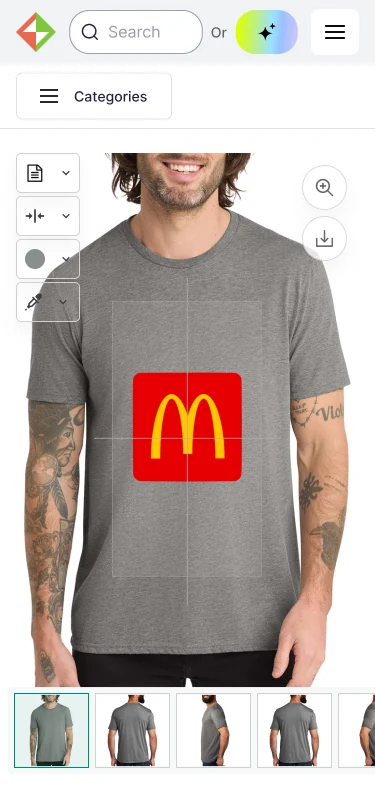
- 1Logo on the productDesign Note, Align Logo, Edit Colors and Convert Color sit beside the image.
- 2Print guidesFaint guides show where the print area sits.
- 3More viewsThumbnails switch between views of the product.

- 1Decoration explainedScreen Print, Embroidery or 3D Patch, with a plain note for the one chosen.
- 2Artwork per placementFront, back, left sleeve and right sleeve each get their own upload button.
- 3Sizes with a minimumSize counts add up to the total, shown against the minimum of 25.
11.Responsive
Same site, every screen
Tablet and mobile are designed, not shrunk. The structure stays the same while each layout reorders itself for the width.


- 1Search stays on topThe search field and AI assistant button stay in the header at every width.
- 2Navigation condensesThe category row stays on tablet and becomes one Categories button on mobile.
- 3Tiles stackThe six catalogue tiles go from three across to two to one.
12.Design system
A calm shell for busy products
A neutral grey page and white cards let product photography do the talking. One green carries every action, coral adds a spark, and the AI assistant gets its own gradient so it is easy to find.
- Green#01896A · Actions, links
- Deep green#00594F · Logo
- Ink#272343 · Headlines
- Coral#F05C52 · Badges
- Mist#F0F2F3 · Page, panels
- AI gradient#D1F931 to #A1C0FF · Assistant
InterRegular for reading, Medium for labels, Bold for headlines. Light letter-spacing on tabs and buttons keeps dense product grids tidy.
Business website, from first search to branded order.
Next project